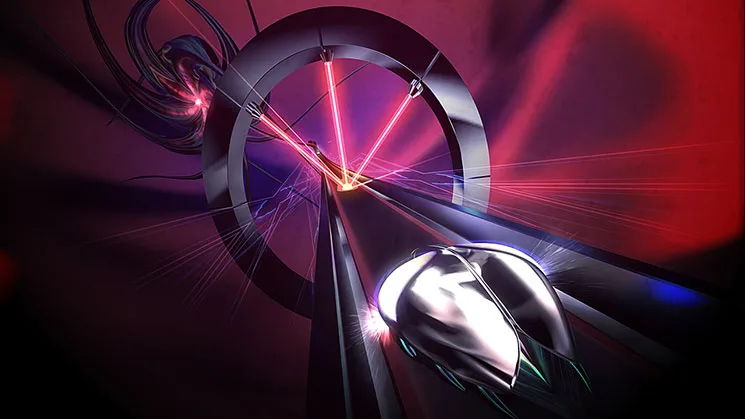
Optimize your Thumper gameplay by calibrating controller settings. Fine-tune your controls for precise beat hits and seamless navigation of complex tracks.
Mastering Thumper isn't just about quick reflexes; it's also about having your controller perfectly calibrated to your playstyle. While the game's core mechanics are simple, fine-tuning your settings can significantly impact your ability to hit those perfect beats and navigate the increasingly complex tracks. This section will guide you through optimizing your controller setup for maximum performance and comfort.
Accessing Controller Options
To begin, navigate to the main menu and select Options. From there, choose Controls. You'll find a variety of settings that can be adjusted. We'll focus on the most impactful ones for a smooth, responsive experience.
Key Settings for Precision and Comfort
- Vibration Intensity: This is a crucial setting for many players.
- Default (100%): Provides strong haptic feedback for every beat, turn, and impact. This can be excellent for immersion and rhythm cues, especially for new players.
- Reduced (50-75%): If you find the default vibration distracting or fatiguing during long play sessions, try reducing it. You'll still get tactile feedback, but it will be less aggressive.
- Off (0%): Some high-level players prefer no vibration at all, as they find it can subtly interfere with their timing or concentration. Experiment with this if you're struggling with precision on harder levels.
- Actionable Step: Start with the default. If you notice your hands tiring or your timing feeling off, gradually decrease the intensity by 25% increments until you find a comfortable balance.
- Input Latency Compensation: While not always explicitly labeled, some platforms (like PC) might offer settings related to input lag.
- Strategy: Always aim for the lowest possible input latency. If your system allows for it, ensure any V-Sync or triple buffering settings are off or set to "fast sync" if screen tearing is an issue.
- Platform Specifics: On consoles (PS4, PS5, Switch, Xbox One, Xbox Series), this is generally handled by the system, but ensure your display is in "Game Mode" if available to minimize display-side latency.
- Button Mapping (If Available): While Thumper has a very streamlined control scheme, some versions (particularly PC) might offer custom button remapping.
- Default Controls:
- X (PlayStation) / A (Xbox/Switch): Thump/Attack
- Left Analog Stick / D-Pad: Steer/Turn
- Strategy: Stick to the default mapping unless you have a specific ergonomic need. The game is designed around these inputs for optimal flow. If you find yourself accidentally hitting the wrong button, consider remapping the "Thump" action to a more comfortable face button or shoulder button if your platform allows.
- Actionable Step: Play through a few levels. If your thumb feels strained or you miss thumps due to awkward button presses, explore remapping the primary action to a button that feels more natural for rapid, rhythmic presses.
- Default Controls:
Advanced Considerations for VR Players
If you're playing Thumper in VR (PlayStation VR, PC VR headsets), additional comfort settings are paramount:
- Comfort Mode: Many VR versions include a "Comfort Mode" or "VR Comfort Options."
- Strategy: If you experience motion sickness, enable any comfort options that reduce camera movement or provide a static cockpit view. This can significantly improve your VR experience.
- Location: These settings are usually found within the main Options menu under a dedicated VR Settings or Display sub-menu.
- Head Tracking Sensitivity: While not directly a controller setting, your head tracking can influence your perception of movement.
- Strategy: Ensure your headset is properly calibrated and that head tracking is responsive but not overly sensitive, which could lead to disorientation.
Ultimately, the "optimal" settings are subjective. Spend some time experimenting with these options to find what feels best for you. A comfortable and responsive control scheme will allow you to fully immerse yourself in Thumper's intense rhythm and conquer even the most challenging levels.
100% Human-Written. AI Fact-Checked. Community Verified. Learn how AntMag verifies content