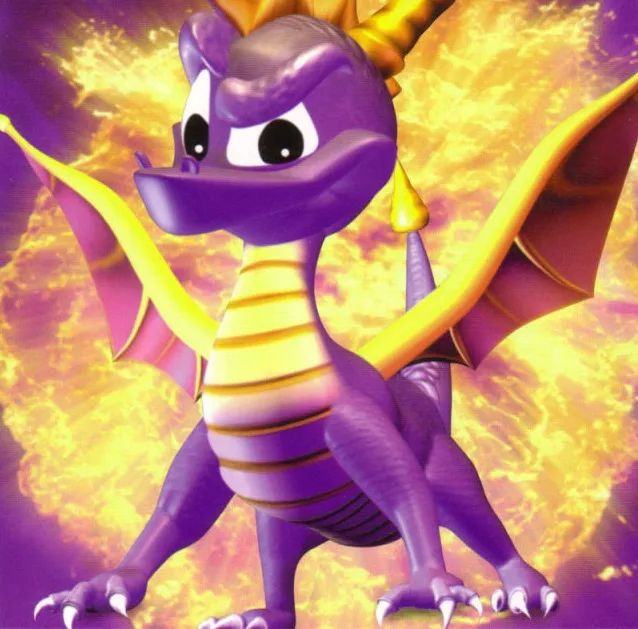
Learn how to set up Spyro the Dragon, its story about Gnasty Gnorc, and the PS1 controller layout.
- 1Acquire Spyro the Dragon.
- 2Set up your console according to its specific instructions.
- 3Load the game.
- 4Observe the introductory screens showing developers, ending with Insomniac Games.
- 5Watch Spyro swoop down and knock over the sign.
- 6Land on the ground platform.
- 7Select your language.
- 8Choose a memory card (insert one if prompted, or play without saving; if one is inserted, this is skipped; if two are inserted, select which one to use).
- 9Load an existing save file or create a new one.
- 10The game will begin or continue.
- Copies of the PSX disc are becoming rare; downloading via PSN to PS3 or PSP is a good alternative.
- The game was originally released on the Sony PSX in 1998/99.
Story:
In the beginning, five Dragon families lived harmoniously until Gnasty Gnorc, an unpleasant creature banished to the Dragon junkyard (which he renamed Gnasty's World), grew resentful of the dragons and their shiny jewels. He learned magic spells to trap all dragons in crystal and animate gems into Gnorc soldiers. On a sunny day, Gnasty cast the freeze spell, trapping the dragons, and turned gems into his minions, also transforming Dragon Worlds into Gnorc Worlds. However, Spyro the Dragon was too small for the spell to affect him. Now, Spyro, the only unfrozen dragon, must travel through six worlds, including Gnasty's industrial world, to free the dragons and collect their stolen treasure. Gnasty's minions will try to stop him, but Spyro is aided by the dragons he frees, who offer hints, and is accompanied by his best friend, Sparx the Dragonfly. His adventure culminates in a final conflict with Gnasty Gnorc.
- Gnasty Gnorc's personality is described as having the short temper of a gnome and the bad attitude of an orc.
- The gems animated by Gnasty become Gnorc soldiers.
Controls:
To navigate Spyro the Dragon, you will use various buttons on the PlayStation controller:
- Left Analog Stick: Located at the bottom, left of the center gap; it's a joystick.
- Right Analog Stick: Located at the bottom, right of the center gap; it's a joystick.
- L3: Press down the Left Analog Stick.
- R3: Press down the Right Analog Stick.
- L1: Top of the controller, front left.
- R1: Top of the controller, front right.
- L2: Top of the controller, back left.
- R2: Top of the controller, back right.
- Up d-button: Top button on the directional pad (d-pad) to the left.
- Down d-button: Bottom button on the d-pad to the left.
- Left d-button: Leftmost button on the d-pad to the left.
- Right d-button: Rightmost button on the d-pad to the left.
- Triangle (T): Top button on the pad to the right.
- Square ([]): Leftmost button on the pad to the right.
- Circle (O): Rightmost button on the pad to the right.
- X: Bottom button on the pad to the right.
- SELECT: Leftmost button in the middle.
100% Human-Written. AI Fact-Checked. Community Verified. Learn how AntMag verifies content