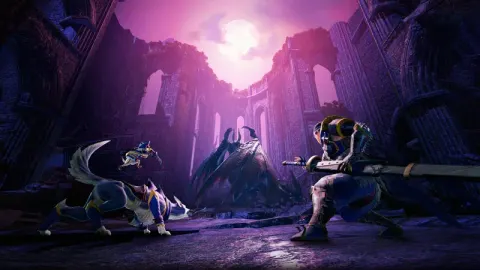
Prepare for an epic adventure in Monster Hunter Rise: Sunbreak, the massive expansion that injects thrilling new challenges into the beloved monster-slaying action RPG. This page offers a growing collection of resources, with 0 detailed sections currently available, to help you master the hunt. You'll find crucial tips for tackling formidable new monsters and advice on optimizing your gear.
Chevalier's Sleepy Solution: Quests
Need to craft a sleeping draft in Monster Hunter Rise: Sunbreak? Learn how to get the Torpor Sac and Great Baggi Hide for Chevalier's Sleepy Solution.
Chevalier's Sleepy Solution: Quests
Need to craft a sleeping draft in Monster Hunter Rise: Sunbreak? Learn how to get the Torpor Sac and Great Baggi Hide for Chevalier's Sleepy Solution.
Chevalier's Sleepy Solution: Requests
Need help with Chevalier's Sleepy Solution in Monster Hunter Rise: Sunbreak? Learn how to get Torpor Sac and Great Baggi Hide to complete this request and get your rewards!
Chevalier's Sleepy Solution: Requests
Need help with Chevalier's Sleepy Solution in Monster Hunter Rise: Sunbreak? Learn how to get Torpor Sac and Great Baggi Hide to complete this request and get your rewards!

Giant in the Frost Islands (Monksnail Hat)
Follow this guide to complete the Giant in the Frost Islands request in Monster Hunter Rise: Sunbreak. Learn where to find the Monksnail and how to take its picture for the Monksnail Hat.
- 1Speak with Flur the Sailor in Elgado's market area.
- 2Embark on a Master Rank Frost Islands Expedition, ensuring it is set to night.
- 3Fast travel to the northeast sub-camp, or make your way to Area 8.
- 4Locate the dilapidated pirate ship in Area 8.
- 5Climb onto the railing of the pirate ship and look towards the northeast sea.
- 6Wait for the Monksnail to appear, moving from right to left between the icebergs. This may take up to ten minutes.
- 7Access your camera via the action bar (use Mouse Scroll to find it).
- 8Use the camera controls (PC: , Switch: D-pad) to line up your shot.
- 9Take the picture (PC: F, Switch: B).
- 10Return to Flur the Sailor in Elgado Market to complete the request.
- The Monksnail will only appear at night.
- Be patient, as it can take a while for the Monksnail to appear.
- Ensure you have the camera item readily available on your action bar.
- Monksnail Hat (Layered Armor)
Cutesy Crab Pose?
Need to snap a pic of the Daimyo Hermitaur doing its claw shield pose for a request in Monster Hunter Rise: Sunbreak? Here's exactly how to do it, step-by-step!
Alright, let's get this done! This is a pretty straightforward Request in Monster Hunter Rise: Sunbreak, all about getting a specific photo. You need to capture the Daimyo Hermitaur when it's doing that cool thing where it puts its claws together like a shield. The key here is that it needs to be standing still for the shot!
- 1Find a Daimyo Hermitaur: Jump into any quest or expedition that features the Daimyo Hermitaur. The easiest way to get this done is probably by picking a quest where it's the main target.
- 2Wait for the Pose: As you fight the Daimyo Hermitaur, it'll eventually do this defensive move where it brings its claws together and stands still. This is its way of countering your attacks, but if you back off and don't hit it during this brief window, it'll stay in that pose for a little bit. That's your cue!
- 3Snap the Photo: While it's in that pose, whip out your camera. You can find the camera on your action bar – usually, you can access it by scrolling the mouse wheel. Once the camera is ready, use the controls to line up your shot. For PC, you'll typically press F to take the picture. On Switch, you'll use the D-pad to adjust and then press B to snap it. Make sure you get the Daimyo Hermitaur with its claws together in the frame!
- 4Talk to Fran: Once you've successfully taken the picture, head back to Elgado Market and find Fran. Talk to her, and you'll complete the Request and get your reward.
- Don't attack the Daimyo Hermitaur when it's in its defensive claw pose. If you hit it, it'll stop posing and likely attack you. Just wait for the moment to pass or for it to do it again.
- Make sure your camera is set up and ready to go before the Daimyo Hermitaur gets into the pose. It can be a bit tricky to fumble with the controls when you're on a timer.
- The camera controls can vary slightly depending on your platform (PC or Switch), so double-check your action bar to ensure you know exactly how to bring up and use the camera.
- Great Wirebugs
100% Human-Written. AI Fact-Checked. Community Verified. Learn how AntMag verifies content