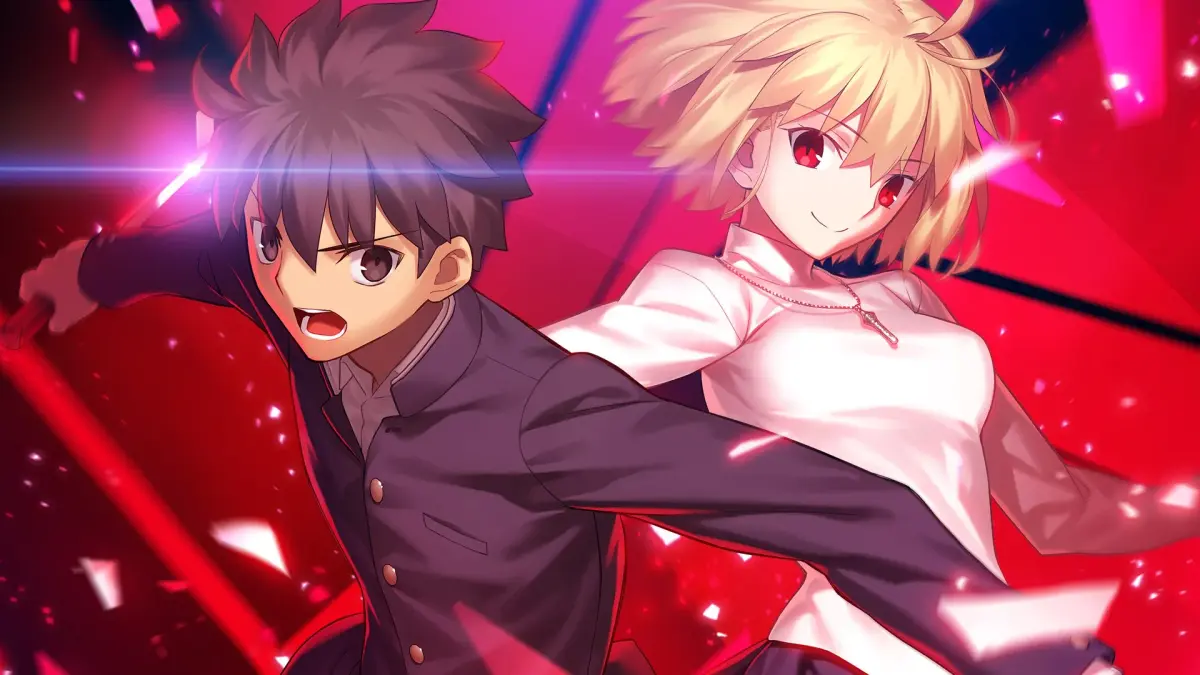
Welcome to Melty Blood: Type Lumina, a fast-paced 2D anime fighter from the creators of Tsukihime. You'll be diving into intense 1v1 battles, mastering unique character move sets, and managing your Moon Gauge resource to unleash powerful attacks and defensive maneuvers. It’s a game that rewards quick reflexes and strategic thinking, perfect for players who enjoy the thrill of competitive fighting games with a deep, engaging story.
This guide is your go-to resource for conquering Lumina. We'll walk you through the fundamental controls, break down character archetypes, and offer advanced strategies for resource management. Whether you're aiming to unlock all the character colors, master the Story Mode, or simply improve your overall gameplay, we've got the tips and tricks you need to succeed across all platforms.
Character Archetypes Explained — Melty Blood: Type Lumina Guide
Explore the diverse character archetypes in Melty Blood: Type Lumina. Understand their roles, playstyles, and how they fit into the game's unique combat system. Perfect for new and veteran players.
Melty Blood: Type Lumina features a diverse cast of characters, each fitting into distinct archetypes that define their playstyle and role in combat. Understanding these archetypes is key to mastering the game.
- Shiki Tohno: The protagonist, a balanced fighter with unique 'Sense' abilities.
- Arcueid Brunestud: A powerful, aggressive character with high damage output.
- Akiha Tohno: A zoning character focused on controlling space with fire-based attacks.
- Ciel: A versatile fighter with strong offensive and defensive options.
- Hisui: A quick, tricky character with a focus on close-range combat.
- Kohaku: A puppet character who uses magical tools to attack from a distance.
- Kouma Kishima: A rushdown character with high mobility and pressure.
- Miyako Arima: A grappler with powerful close-range attacks and command grabs.
- Noel: A zoning character who uses projectiles and traps to control the battlefield.
- Michael Roa Valdamjong: A versatile character with a mix of offensive and defensive tools.
- Vlov Arkhangel: A character with unique ice-based abilities and strong zoning potential.
- Red Arcueid: An extremely powerful and aggressive character with high damage and pressure.
- Artoria Pendragon (Saber): A guest character from the Fate series, a well-rounded fighter with strong offensive capabilities.
- Dead Apostle Noel: A DLC character with a unique playstyle focused on debuffs and pressure.
- Aoko Aozaki: A DLC character with powerful magical attacks and zoning capabilities.
- Mario Gallo Bestino: A DLC character with a unique, unpredictable playstyle.
- Powered Ciel: A DLC character who is an enhanced version of Ciel, with increased power and new abilities.
- Neco-Arc: A humorous DLC character with a chaotic and unpredictable playstyle.
- Mash Kyrielight: A DLC character from Fate/Grand Order, a defensive support character.
- The Count of Monte Cristo: A DLC character with a unique revenge-based mechanic.
Basic Controls & Movement — Melty Blood: Type Lumina Guide
Learn the essential controls and movement techniques for Melty Blood: Type Lumina. Master your character's abilities and dominate the battlefield with this comprehensive guide.
Melty Blood: Type Lumina is a reboot of the Melty Blood franchise, following the continuity of the Tsukihime Remake series. It was released on September 30, 2021, for PlayStation 4, Xbox One, Nintendo Switch, and Steam. The game features a roster of 22 characters, including 14 initial characters and 8 DLC characters. Some characters, like Sion Eltnam Atlasia, are not physically present in this game's timeline due to its placement before the events of Tsukihime -A piece of blue glass moon-. The roster also includes four guest characters from the Fate franchise.
Frame Data Fundamentals
Master frame data in Melty Blood: Type Lumina: understand startup, recovery, and advantage for optimal pressure and punishment.
Frame Data Fundamentals
Master frame data in Melty Blood: Type Lumina: understand startup, recovery, and advantage for optimal pressure and punishment.
Understanding Hitboxes & Hurtboxes
Understand hitboxes and hurtboxes in Melty Blood: Type Lumina. Learn how these invisible forces dictate hits, blocks, and the flow of battle for effective play.
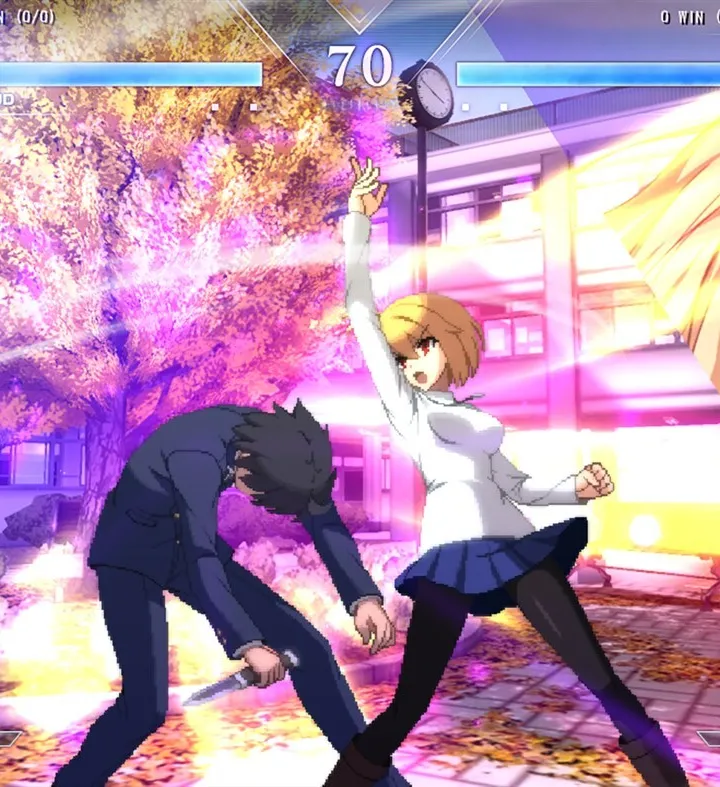
Mastering Melty Blood: Type Lumina goes beyond just knowing your character's moves; it requires a deep understanding of the invisible forces at play: hitboxes and hurtboxes. These fundamental concepts dictate whether your attacks connect, whether you get hit, and ultimately, the flow of battle. Ignoring them is like fighting blindfolded.
What are Hitboxes?
Simply put, a hitbox is the active area of an attack. If an opponent's hurtbox intersects with your attack's hitbox, they get hit. Hitboxes are typically colored red or orange in training mode visualizations.
- Size and Shape: Hitboxes vary wildly. A character like Shiki Tohno's 5A (Light Punch) has a small, quick hitbox directly in front of him. In contrast, Ciel's 236C (Black Barrel) creates a massive, slow-moving projectile hitbox that covers a significant portion of the screen.
- Duration: Hitboxes are active for a specific number of frames. A quick jab might have an active hitbox for only 2-3 frames, while a powerful special move or a Moon Skill could have an active hitbox for 10+ frames. Understanding this helps you time your attacks and whiff punish effectively.
- Placement: Where a hitbox is located relative to your character model is crucial. Some attacks, like Arcueid Brunestud's 6C (Heavy Kick), extend far forward, making them excellent for poking. Others, like Miyako Arima's 2B (Crouching Medium), hit low to the ground, designed to catch opponents trying to block high.
- Invulnerability Frames: Some moves, especially EX Specials and Moon Drive activations, grant invulnerability frames. During these frames, your character's hurtbox temporarily disappears or becomes immune to damage, allowing you to pass through attacks or counter-attack safely. For example, Red Arcueid's 214C (Beast's Roar) has significant invulnerability on startup.
What are Hurtboxes?
A hurtbox is the area of your character that can be hit by an opponent's attack. If an opponent's hitbox touches your hurtbox, you take damage. Hurtboxes are usually colored blue or green in training mode visualizations.
- Character Model vs. Hurtbox: It's vital to understand that a character's hurtbox does not always perfectly match their visual model. Sometimes, a character's arm or leg might visually extend, but the hurtbox doesn't cover that extension, making them harder to hit than they appear. Conversely, some characters might have surprisingly large hurtboxes for their size.
- Dynamic Hurtboxes: Hurtboxes are not static. They change shape and position based on your character's actions.
- Crouching: When you crouch (2), your hurtbox shrinks and moves lower to the ground, allowing you to evade high attacks. This is why low attacks (2A, 2B, 2C) are essential for opening up crouching opponents.
- Jumping: During a jump, your hurtbox is elevated, making you vulnerable to anti-air attacks.
- Attacking: When performing an attack, your character's hurtbox can extend or shift. For instance, a character might lean forward during a heavy attack, extending their hurtbox and making them more susceptible to being hit out of their animation.
- Dash/Backdash: During a dash or backdash, your hurtbox moves rapidly across the screen. Some backdashes have invulnerability frames, temporarily removing your hurtbox.
- Projectile Hurtboxes: Some projectiles, like Shiki Tohno's 236A/B/C (Flash Step), can have their own hurtboxes. This means they can be destroyed by other projectiles or even certain physical attacks before they reach their target.
Practical Application: Using the Training Mode
The best way to internalize these concepts is through the game's excellent Training Mode. Here's how to set it up:
- Enter Training Mode: From the main menu, select "Training" and choose your desired characters.
- Access Display Settings: Pause the game and navigate to "Display Settings."
- Toggle Hitbox/Hurtbox Display:
- Set "Player 1 Hitbox Display" to "On."
- Set "Player 1 Hurtbox Display" to "On."
- Optionally, set "Player 2 Hitbox Display" and "Player 2 Hurtbox Display" to "On" to see how your opponent's boxes interact.
- Experiment:
- Observe your own moves: Perform all your character's normals and specials. Pay attention to when the red hitboxes appear, how long they last, and where they are positioned. Notice how your blue hurtbox changes shape during these animations.
- Test against the dummy: Set the dummy to perform specific moves (e.g., a jumping attack, a low poke). Practice using your character's moves to hit their hurtbox while avoiding their hitbox.
- Whiff Punishing: Set the dummy to perform a slow, committal move (e.g., a heavy special). Observe its hitbox and hurtbox. Practice moving into range after the hitbox disappears to punish its recovery frames.
- Anti-Airs: Set the dummy to jump. Observe the dummy's elevated hurtbox. Practice using your character's anti-air moves (e.g., 2C, 623A/B/C) to hit their hurtbox while they are airborne.
- Cross-ups: Set the dummy to block. Practice jumping over them and hitting them with an attack that lands behind their blocking hurtbox.
By actively visualizing and understanding hitboxes and hurtboxes, you'll gain a profound insight into character matchups, attack priority, and defensive options. This knowledge is the bedrock upon which advanced strategies in Melty Blood: Type Lumina are built.
Similar guides you might like

100% Human-Written. AI Fact-Checked. Community Verified. Learn how AntMag verifies content