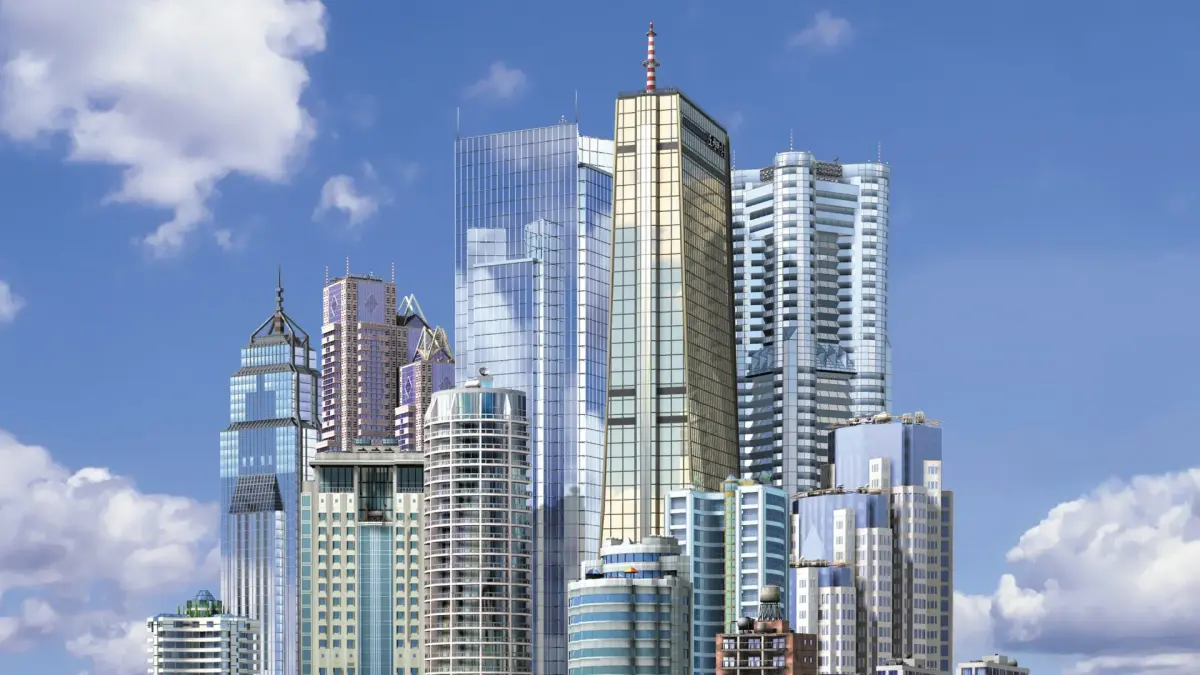
Welcome to SimCity 3000, the classic city-building simulation where you take on the role of mayor. Your job is to zone land for residential, commercial, and industrial development, manage your city's budget, and keep your citizens happy and healthy. It’s all about balancing growth with essential services like power, water, and waste management, all while dealing with the occasional disaster.
This guide dives deep into everything you need to know to build a thriving metropolis. We’ll cover the fundamentals of town setup, advanced terraforming techniques, and crucial strategies for tackling budget deficits. Learn how to manage industrial development, control pollution, and respond effectively to emergencies to ensure your city flourishes across all platforms, from PC to mobile.
---- Table of Contents ----
Navigate SimCity 3000 sections like FAQ, Toolbar, Ordinances, and Secrets using Ctrl-F with section names or codes.
This SimCity 3000 guide is organized into the following sections:
- 1. Introduction [1000]
- 2. FAQ [2000]
- 3. What's New? [3000]
- 4. The Toolbar [4000]
- 5. Roads and Highways [5000]
- 6. Zoning [6000]
- 7. Garbage and Water [7000]
- 8. Setting up Education and Police/Fire Protection [8000]
- 9. Landmark List [9000]
- 10. Ordinances List [10000]
- 11. Secrets and Codes [11000]
- 12. Version History [12000]
- 13. Legal Disclaimers [13000]
- 14. Credits and Closing [14000]
- To jump directly to a section, press Ctrl-F and type the section name followed by its number (e.g., "2. FAQ").
- Alternatively, you can type the bracketed code number found on the far right of this list (e.g., "[2000]") into the Ctrl-F search bar.
---- 1. Introduction ---- [1000]
Learn about SimCity 3000, released by Maxis with innovative features and great graphics. A masterpiece in city-building simulation.
Maxis released SimCity 3000 a few years after their previous success, SimCity 2000. The game was designed with innovative features and a great set of graphics to match, ultimately proving to be a success. SimCity 3000 is considered a masterpiece by many, alongside other games in the series.
The game can be challenging to learn initially, and despite the inclusion of a long manual, there are many details new mayors should know before starting their first city. This guide aims to provide that information, though players may still need to consult the PDF manual for further clarification.
A notable drawback of SimCity 3000 is its lack of a full tutorial.
- Consult the PDF manual if you are still confused after reading through the guide sections.
- Be prepared for a learning curve, as the game is not easy to grasp at first.
---- 2. FAQ ---- [2000]
SimCity 3000 FAQ covering taxes, building bridges and tunnels, aura, earthquakes, and the Nuclear Power Plant.
Taxes: Sims may complain about taxes as your city grows, expecting lower rates. However, sometimes the desired tax rate can cause you to lose money. You can generally keep taxes at a reasonable level without severe consequences, but raising them to the highest mark can lead to problems.
Bridges and Tunnels: To build a bridge in SimCity 3000, stretch a road across the water. While holding the mouse button, move the cursor until it turns blue to complete the bridge. Tunnels can only be built on large hills, and the game will recommend when you can build one; you cannot initiate tunnel construction independently.
Aura: Aura in SimCity 3000 represents how happy your sims are with their environment. You can improve aura by building parks, police stations, fire stations, schools, and planting trees. Conversely, pollution and garbage will decrease aura.
Earthquakes: Earthquakes in SimCity 3000 do affect the actual land, leaving lines of bumps. These bumps can destroy any structures built upon them, causing damage.
Nuclear Power Plant: If the Nuclear Power Plant disappears from the power plant listing, you have likely activated the "Nuclear-Free Zone" ordinance. To regain access, turn this ordinance off, but be prepared for potential protests from your sims.
- Keep an eye on your city's budget when adjusting tax rates; excessively low taxes can be unprofitable.
- Pay attention to the cursor's color change when building to ensure successful construction of bridges.
- Tunnels are a terrain-dependent feature, so look for suitable hills.
- A high aura contributes to happier sims, which can lead to a more prosperous city.
- Be aware of the consequences, such as protests, when enacting certain ordinances like the "Nuclear-Free Zone".
---- 3. What's New? ----
Explore the new features and gameplay enhancements in SimCity 3000, including waste management, inter-city deals, landmarks, and improved graphics.
- 1Waste Management: Added a new system to handle garbage disposal.
- 2Inter-City Deals: Negotiate to buy or sell electricity, water, and waste management services with neighboring cities.
- 3Business Deals: Option to allow specific building types in your city for financial gain, with potential undesirable effects.
- 4Advisors: Receive more detailed advice compared to previous SimCity titles.
- 5Petitioners: Citizens may request ordinance changes or tax adjustments.
- 6News Ticker: Replaces newspapers, providing city status updates, humorous stories, and disaster warnings.
- 7Landmarks: Primarily aesthetic additions that can unlock tourism ordinances; limited to ten per city (cheat available to remove limit).
- 8Graphics Improvements: Buildings are grouped by economic class, creating distinct neighborhoods. Terrain features grass and varied colors with elevation, supporting five levels of steepness. Multiple tree types are included, replacing the single pine tree type from previous games. Waterfalls have been removed.
- Utilize inter-city deals to balance utility supply and demand.
- Pay attention to the news ticker for early warnings of potential disasters or city issues.
- Landmarks can boost tourism, so strategically place them to maximize their benefit.
- Observe neighborhood development to understand how economic class affects building distribution.
Similar guides you might like





100% Human-Written. AI Fact-Checked. Community Verified. Learn how AntMag verifies content