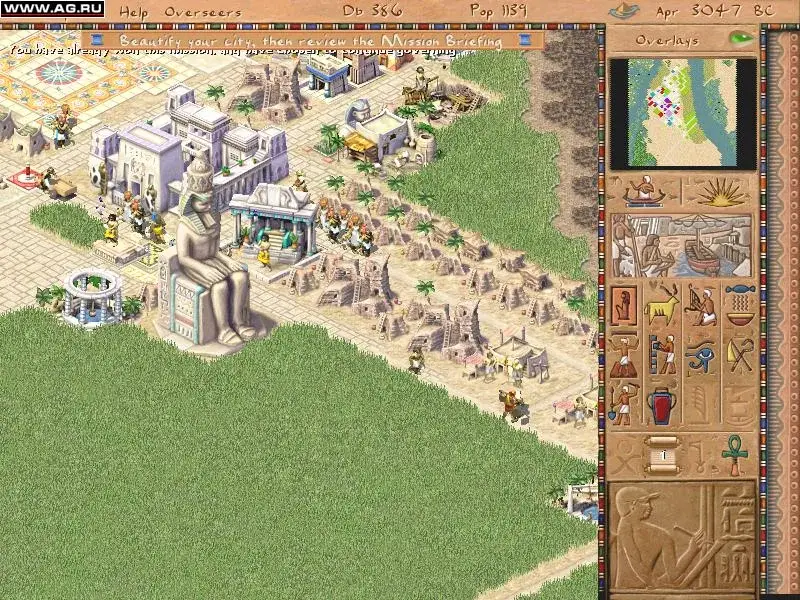
Welcome to Pharaoh, a classic city-builder from Impressions Games where you'll step into the sandals of an ancient Egyptian governor. Your job is to manage resources, plan out bustling cities, construct monumental wonders, and fulfill the often-demanding requests of the Pharaoh. It's a deep and rewarding experience for anyone who enjoys intricate strategy and seeing their creations flourish from humble beginnings to a thriving civilization.
This guide is here to help you navigate the challenges of building your legacy along the Nile. We'll cover everything from mastering resource management and urban planning to successfully completing mission walkthroughs and constructing those awe-inspiring monuments. Whether you're struggling to keep your citizens happy or aiming to achieve a perfect score, we've got the insights you need to conquer the Pharaoh's most demanding requests.
Game Updates
Pharaoh received occasional updates for new content and bug fixes, including Cleopatra Patches.
Pharaoh has received updates throughout its lifecycle. These patches were implemented to introduce new features or resolve existing bugs within the game. This section details some of that information.
Cleopatra Patches:
Specific patches related to the Cleopatra expansion were released for Pharaoh.
- Keep your game updated to benefit from bug fixes and new content.
Downloadable Enhancement Pack Information
Download the Pharaoh enhancement pack to improve gameplay performance. Find the download location here.
Impressions Games has released a downloadable enhancement pack for Pharaoh, designed to improve gameplay performance. This pack is considered one of the best available for PC games in recent times.
Download Location:
ftp://ftp.sierra.com/pub/sierra/pharaoh/updates/
- Downloading this enhancement pack is strongly suggested for an improved experience with Pharaoh.
[1] HOW TO INSTALL THE ENHANCEMENT PACK
Learn how to install the Pharaoh Enhancement Pack, requiring Pharaoh Version 1.1. Includes troubleshooting steps.
- 1Download PharaohEP11to12.exe to your computer.
- 2Run PharaohEP11to12.exe.
- 3Follow the instructions provided on screen.
Troubleshooting: If the Enhancement Pack fails to install:
- Uninstall Pharaoh via Start Menu-> Programs-> Sierra -> Pharaoh-> Uninstall Pharaoh. Note: This will not affect saved games or custom missions.
- Reinstall Pharaoh from the CD.
- Move any desired saved game folders or custom missions to the new Pharaoh Save and Maps folders.
- Either:
- Run PharaohEnhancementPack.exe to upgrade to V1.1 (if you have the old Version 1.1 Enhancement Pack), then run PharaohEP11to12.exe.
- Or download and run PharaohEP_V12.exe to upgrade directly from version 1.0 to version 1.2.
[2] NEW ENHANCEMENT PACK FEATURES
Explore the Pharaoh Version 1.1 enhancement pack, including the powerful mission editor and new custom missions.
- 1Access the mission editor through the main game menu. Refer to the Mission Editor Guide.txt or Mission Editor Guide.pdf for instructions.
- 2View the Mission Editor Guide by selecting Help: Mission Editor Guide from the Mission Editor menu bar. Adobe Acrobat reader is required for .pdf files.
- 3Discover new stand-alone custom missions installed in your Maps folder. Many include text files describing the mission.
- 4All January 2000 contest missions are included.
- 5The required housing level for mission completion is now displayed on the Ratings Overseer panel.
- 6Sound is now enabled under Windows 2000.
- Custom mission text files are located in Sierra/Pharaoh/Maps.
- Many custom missions have associated text files that briefly describe them.
Similar guides you might like



100% Human-Written. AI Fact-Checked. Community Verified. Learn how AntMag verifies content