Learn advanced mapmaking tricks for Marathon Infinity using Forge. Discover techniques for creating traps, bridges, and unique level designs to challenge players.
Hey there! So you want to dive into making your own levels for Marathon Infinity? Awesome! This guide is all about giving you the inside scoop on how to use Forge, the game's map editor, to create some really cool and tricky maps. Forge comes with the game, and it even has some tutorial films to get you started. We're going to go beyond those tutorials and explore some neat tricks to make your maps stand out.
Applesauce (Doors):
Doors in Marathon Infinity can be way more than just ways to get from A to B. You can actually use them as traps! Imagine setting a door to open and close super fast, and instead of reversing when it hits something, it just keeps going. Anything caught in its path is in for a nasty surprise. You can even make an entire corridor act as a door. Set it to move quickly with a long pause, and players might walk under it a few times without a second thought. Then, BAM! When the pause is up, it slams shut and crushes them. Or, it could just block their path, forcing them to find a new route. You can get creative by using multiple doors with different speeds and pause times. Some might be open, some closed, and one could slam shut on a player who thought they were safe. If you're making a long corridor trap, give players just enough time to sprint through before it closes, or add little safe spots along the way. And hey, no rule says you have to let players escape – even big enemies like Juggernauts can be crushed! For a really nasty surprise, especially in multiplayer, hide a teleporter behind a door that looks like a wall. Send the player to a tiny room with no exits, and have the ceiling or floor crush them at regular intervals. Talk about a dejected player!
Bridges:
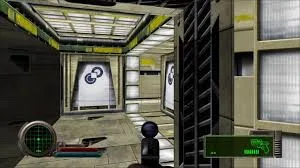
Creating a 'true' bridge where you can see through it from below isn't really possible in Marathon Infinity. However, you can make it look like a multi-level area where a player below can see the sides and base of a bridge above. This takes some careful planning in Forge. You'll need two levels that overlap. For instance, you could have a corridor for the upper level whose base and sides extend down into a tall room below. Before you build the upper level, make sure the lower level has extra space around the area where the bridge will be. This helps prevent the game engines from getting confused. Let's say the lower room floor is at 0.000 World Units and you want the bridge floor at 2.000 World Units. You'll need to lower the ceiling of the lower room's central area to something like 1.500 World Units – a difference of at least 0.500 World Units, but you might need to experiment. Then, you can add the bridge polygon (like a corridor). Make sure its edges don't go beyond the central area of the lower floor for a realistic look. You can then add textures. For a cool effect, use different textures on the bridge's underside and sides as seen from below. Scrolling textures can add a lot, maybe a fast horizontal scroll on the sides and a vertical one underneath if you're going for a lava theme. Or, just use different colors to make the bridge stand out or blend in. You can even give the bridge a different lighting index. If you want a bridge that bends, you'll need more polygons and can use a 'blank' polygon (empty space) to create the support at the bend.
100% Human-Written. AI Fact-Checked. Community Verified. Learn how AntMag verifies content