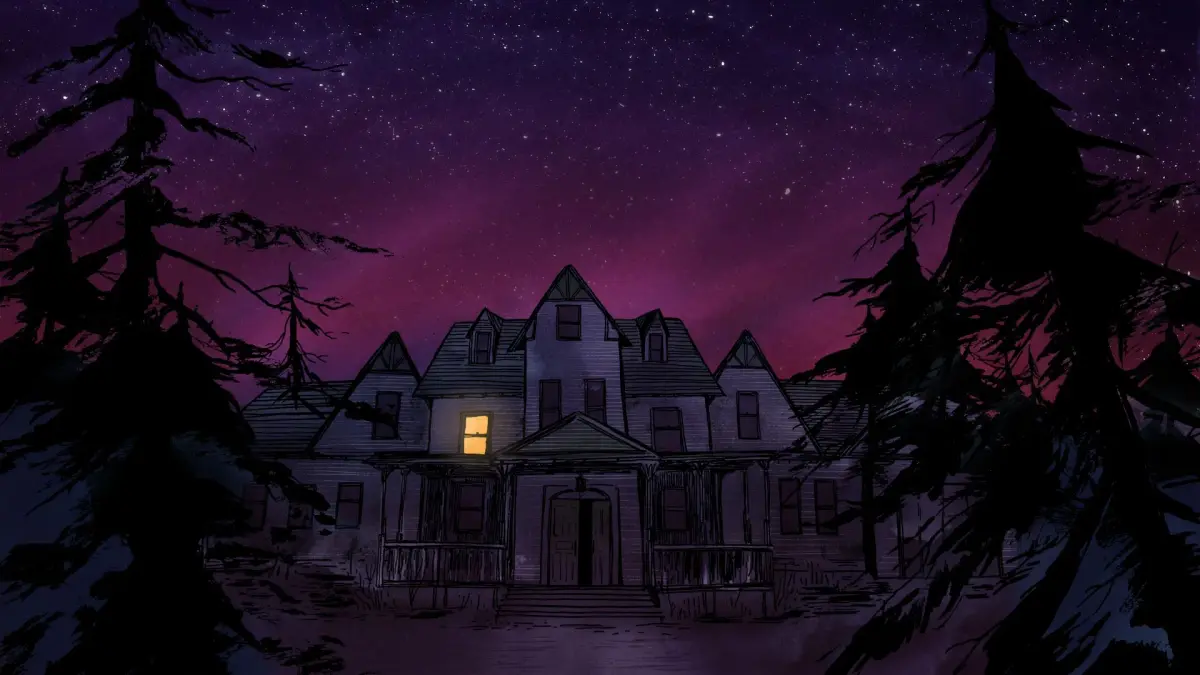
Welcome to Gone Home, a first-person exploration game where you play as Kaitlin Greenbriar, returning home to her family's sprawling mansion in 1995. As you step inside, you find the house eerily empty. Your goal is to piece together what happened to your family by examining objects, reading notes, and uncovering journals scattered throughout the house. It's a deeply personal and atmospheric journey focused on discovery and understanding.
This guide will help you navigate every room of the mansion, ensuring you don't miss any crucial details that shed light on your sister Sam's life and the family's secrets. We'll point you towards key items and journal entries that reveal the poignant narrative, helping you fully understand the story unfolding around you.
Guide and Walkthrough (PS4) by threetimes
Explore the Gone Home table of contents, including trophies, collectibles, journal entries, and the Arbor Hill House map.
- 1Introduction
- 2Controls and Gameplay Features
- 3Game Walkthrough: Gone Home Trophy
- 4Letters to Katie Trophy
- 5Behind the Scenes Trophy
- 6Speedreader Trophy
- 7Homerunner Trophy
- 8Four "Secret" Trophies
- 9Easter Egg Trophy (Secret)
- 10Codes
- 11Collectibles: Buttons
- 12Collectibles: Cassettes
- 13Collectibles: Postcards
- 14Oscar Masan
- 15Journal Entries Transcript
- 16Arbor Hill House Map
- 17Trophies List
- 18Legal and Contact
- Refer to the Table of Contents for specific sections like trophies, collectibles, and lore transcripts.
- The guide is updated to version 1.01 as of 08/11/2021.
- This guide was a FAQ of the Month Winner in October 2019 and is a Highest Rated Guide.
Controls and Gameplay Features
Learn Gone Home controls for PS4, how to save progress, and gameplay features like modifiers and the map.
Controls (PS4):
- Options Button: Pause, Resume, access game Options, Save and Quit to Menu, and view control overview.
- L1/R1: Open the menu to check Items/Journals and scroll through Item/Map/Journal tabs.
- L2/D-Pad Top Button: Get a close-up view (zoom in).
- R2/X: Interact. Grab, put back, discard, or throw objects.
- Triangle/Flat Pad: Open the Map.
- Left and Right Sticks: Rotate an object while holding it with L2/D-Pad Top Button.
- Left Stick: Walk.
- Right Stick: Look around.
- Circle: Crouch. Warning: On PS4, Circle is used to crouch. This action makes you lower to check cupboard contents or access secret panels. Be mindful, as this may be mistaken for a cancel command, causing you to accidentally crouch when you intended to interact. This is crucial for speed run trophies, as there is no time limit otherwise. The Crouch Style can be changed from Toggle to Hold in the Options/Controls menu.
Saving Progress:
Press the Options button to access the save and quit menu. Progress is NOT automatically saved in Gone Home. If the game crashes or power is lost without a manual save, you will have to start over.
Options:
Options can be changed at any point during the game or before starting. The Graphics option is useful for speed runs as it increases light in dark areas. Setting Crouch Style to Hold prevents accidental crouching. Sticky Targeting allows more precise aiming at objects.
- Graphics: Adjust Brightness/Field of View.
- Controls:
- Look Sensitivity
- Crouch Style (Toggle/Hold)
- Sticky Targeting (On/Off)
- Invert Look (On/Off)
- Swap Left/Right Sticks (On/Off)
- Sound: Sound Options (adjust Main Volume, Voice Volume, Music Volume, Sound Effects Volume).
- Gameplay: All options can be turned on or off.
- Show Training Messages
- Enable Headbob
- Hide Reticule
- Disable Interaction highlight
- Disable Interaction Text
- Language: Language Options (Overlay Text, Display Subtitles, Current Language: English/French/Italian/German/Spanish/Japanese).
Modifiers:
Modifiers are only accessible from the main menu before starting a new game. They cannot be changed during gameplay. Modifiers make exploration easier by allowing all doors to be unlocked and all lights to be on. However, it is recommended to avoid these for a first playthrough to maintain tension and the excitement of discovery. Modifiers cannot be used for speed trophies.
Grab and Put Back:
Gone Home features a system allowing you to pick up and return objects to their original places, maintaining tidiness. You can also gather specific items, like bottles of booze or buttons, in one location.
Map:
The map of the house reveals itself as you explore. Hidden areas are added to the map upon discovering three sketch maps:
- Sewing Room (First Floor): Inside the folder on a small table by the door.
- Greenhouse (East Wing): On the small table by the door at the far side of the room.
- Mom and Dad's Bedroom (First Floor): A hidden passage is inside the closet. Approach the back wall to trigger a '?' alert and push open a secret panel. The map is on the wall near the light string and reveals 3 hidden compartments in the panelled walls.
Buttons:
Various buttons (also called badges in the UK) are found throughout the house. These have no gameplay significance but can be collected for fun.
Playing Cassettes:
Find a cassette tape and insert it into a cassette player to play a song. If developer commentary is active, the music volume will lower but remain audible.
Guide and Walkthrough (PS4) by threetimes (2)
A comprehensive walkthrough and trophy guide for Gone Home on PS4, covering all aspects of the interactive exploration simulator, including collectibles and secrets.
GONE HOME: CONSOLE EDITION
Walkthrough and Trophy Guide
Written by threetimes
October 2019
Platforms: PC, PlayStation 4, Macintosh, Xbox One, Nintendo Switch, iOS (iPhone/iPad), PlayStation 3, Wii U, Xbox 360.
Developer: The Fullbright Company
Released: 2/12/2016 (PS4: Console Edition, EU)
Gone Home is described as an _interactive exploration simulator,_ which means that the protagonist walks around a realistic location, interacting with objects, to uncover a story. Part of the attraction of the game is that everything is super realistic: cups and pencils can be picked up and examined, letters read, drawers opened, music cassettes played, lights switched on and off, toilets flushed and balls thrown, even when some of these actions have no direct bearing on the story. The game is set in the 1990s, before the advent of the internet and smart phones, and that also gives it a feeling of nostalgia which adds to the experience. Although the game has been out for a few years I hope this walkthrough and trophy guide might be of use, even now!
Guide and Walkthrough (PS4) by threetimes (3)
Complete Gone Home walkthrough covering the Gone Home Trophy and all collectibles. Updated 08/11/2021.
- 1Follow the detailed steps provided in the full guide to achieve the Gone Home Trophy.
- 2Locate all collectibles, including Buttons, Cassettes, and Postcards, as outlined in the Collectibles section.
- Refer to the Arbor Hill House Map for navigation assistance.
- Consult the Journal Entries Transcript for narrative context.
- The guide was updated on 08/11/2021 and was a FAQ of the Month Winner in October 2019.
Similar guides you might like






100% Human-Written. AI Fact-Checked. Community Verified. Learn how AntMag verifies content