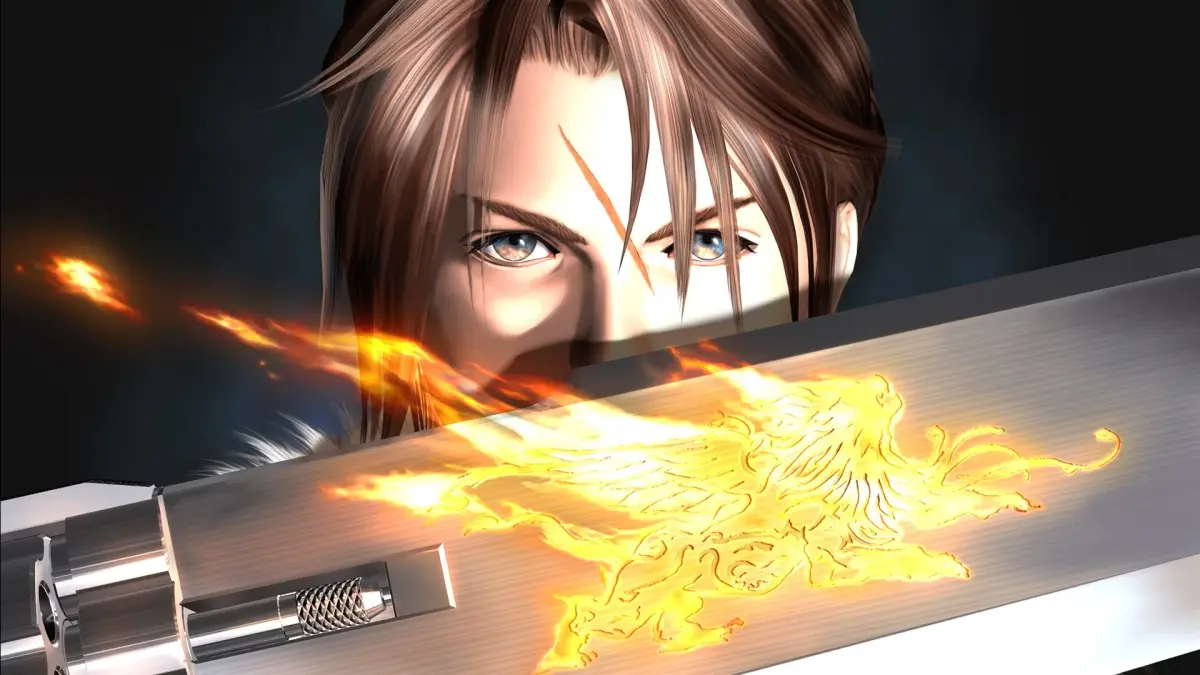
Welcome to Final Fantasy VIII Remastered! You play as Squall Leonhart, a mercenary-in-training for SeeD, tasked with settling a war between Galbadia and Dollet. The gameplay here is unique, relying on drawing magic from enemies and equipping Guardian Forces – summoned monsters that learn abilities – rather than traditional leveling. It’s a story-rich RPG with plenty of side quests and minigames, including the addictive Triple Triad card game.
This guide is here to help you master the intricate Junction system, navigate the world, and conquer challenging bosses like Ifrit. We'll cover everything from early game power leveling to defeating the formidable Ultimecia, ensuring you can dominate the Triple Triad and truly become a SeeD.
Guide and Walkthrough (PS) by bover\_87
Navigate Final Fantasy VIII Remastered with this comprehensive guide covering Disc 1 through Disc 4, missable items, sidequests, and more. Your ultimate walkthrough awaits!
Welcome to the most detailed guide for Final Fantasy VIII Remastered, crafted by bover_87! This walkthrough will be your best friend as you progress through the game, covering everything from the initial SeeD exam to the final battle. We'll break down each disc, highlight missable items, and dive deep into all the sidequests and mini-games. Let's get started on your journey!
How to Navigate This Guide: This guide is structured by game discs and major sections. Use the Table of Contents to jump to specific parts, whether you're looking for help with Disc 1's missions, hunting for missable items, or tackling challenging sidequests like the Queen of Cards or the CC Group Quest.
General Strategy: We'll cover general strategies throughout the walkthrough, but keep in mind that Junctioning is key in Final Fantasy VIII. Experiment with different Guardian Forces and magic to find the best combinations for your playstyle. Don't forget to draw magic from enemies and refine items!
Walkthrough Breakdown:
- Disc 1: Prepare for your SeeD exam, take on the Timber mission, explore Dollet, and journey through Galbadia Garden.
- Disc 2: Experience events in Winhill, the Missile Base, and explore the world before the Garden Festival and the Battle of the Gardens.
- Disc 3: Deal with the aftermath, travel through Trabia Canyon and the Silent Country, explore Esthar, and take on missions aboard the Ragnarok.
- Disc 4: Prepare for the final confrontation, explore Ultimecia Castle, and face the ultimate challenges.
Missable Items and Sidequests: Pay close attention to the Missable Item Walkthrough section, as many valuable items and opportunities can be missed if you're not careful. We also cover numerous sidequests, including Triple Triad, Timber Maniacs, Chocobo Forests, and many more.
Lists and Reference: For deeper dives into game mechanics, characters, Junctions, magic, Guardian Forces, abilities, items, shops, and enemies, check out the comprehensive Lists/Reference sections.
How to Navigate This Guide
Learn how to navigate the Final Fantasy VIII Remastered guide using the Table of Contents, internal links, and search functions.
- 1Use the Table of Contents on the right-hand side of the screen. Click "Toggle Table of Contents" if it is not visible.
- 2Click on links within the guide to access more detailed information on a specific topic.
- 3Use the Search button located in the right-hand corner of the site header to look up specific terms.
- 4Alternatively, you can use Ctrl + F to search for a term, but this will only work for content on your current page.
- The Table of Contents provides a structured overview of the guide's content.
- Internal links are useful for quickly jumping to related information.
- The site's search function is ideal for finding specific keywords or phrases.
Guide and Walkthrough (PS) by bover\_87 (2)
Learn how to navigate the Final Fantasy VIII Remastered guide, covering controls, general strategy, and the overall structure of the walkthroughs.
- 1Begin by understanding how to navigate this guide.
- 2Familiarize yourself with the game's controls.
- 3Review the general strategy section for effective gameplay tips.
- 4Consult the version history for updates.
- 5Refer to the legal information.
- 6Follow the detailed walkthroughs for Disc 1, Disc 2, Disc 3, and Disc 4, which cover (press the cover button to crouch behind walls or objects) all story progression.
- 7Explore the Missable Item Walkthrough to ensure you don't miss any crucial items.
- 8Check the Perfect Game Requirements if you aim for completion.
- 9Dive into the Sidequests/Mini-Games section for activities like Triple Triad, Timber Maniacs, and various quests.
- 10Use the Strategy Guide for advanced tactics.
- 11Refer to the Lists/Reference section for details on Game Mechanics, Characters, Junctions, Magic, Guardian Forces, Abilities, Status Effects, Items, Shops, and the Enemy List.
- 12Consult the FAQ for common questions.
- 13Find contact information and credits.
- 14Review the copyright notice.
- The guide is divided into clear sections for easy access to specific information.
- Walkthroughs are organized by game disc for chronological progression.
- A dedicated section for sidequests and mini-games allows for focused exploration of optional content.
- Reference sections provide detailed information on various game elements for deeper understanding.
Controls
Learn all the button mappings for World Map, Field, and Battle in Final Fantasy VIII Remastered. Master movement, menus, and combat actions with this quick guide.
Hey there! So you're diving into Final Fantasy VIII Remastered? Awesome choice! Let's get you up to speed on how to actually play the game. These controls are based on the PlayStation version, but they'll feel pretty familiar if you've played other PlayStation titles. We'll break it down by where you are in the game: exploring the World Map, running around towns and dungeons on the Field, and of course, battling monsters.
Don't worry, it's not too complicated once you see it all laid out. Let's get you moving!
World Map Controls
When you're zipping around the big ol' world map, here's what you need to know:
| Button | Action |
| X | Examine things you find, confirm your choices, or get out of a vehicle. |
| Circle | This is your gateway to the game's main menu or to hop into a vehicle's cockpit. |
| Square | Rev up your engine and move your vehicle forward. |
| Triangle | Use this to back out of menus or cancel actions. Handy for when you change your mind! |
| Start | Brings up the pause menu, letting you save, manage items, or just take a breather. |
| Select | Toggles the mini-map on and off, so you can see where you're going. |
| D-Pad | This is how you'll move your character around on foot when you're not in a vehicle. |
| L1/R1 | These buttons let you spin the camera around, giving you a better view of your surroundings. |
| L2/R2 | Use these to zoom in or out, changing your camera's perspective. |
Field Controls
Once you're exploring towns, dungeons, or other explorable areas, your button layout changes slightly:
| Button | Action |
| X | Your go-to for talking to people, examining objects, or confirming actions. |
| Circle | Opens up the main menu, just like on the World Map. |
| Square | This one's a bit multi-purpose! You can use it to challenge NPCs to Triple Triad (the card game!), talk to people, or examine things. It often does the same thing as X. |
| Triangle | Another cancel button. If you accidentally opened something or want to back out of a conversation, Triangle is your friend. |
| Start | Pauses the game. Simple as that! |
| Select | Doesn't do anything in this mode, so no need to worry about it. |
| D-Pad | This is how you'll move your character around the environment. |
| L1/R1 | These buttons don't have a specific function while you're on foot in the field. |
| L2/R2 | Same as L1/R1, these aren't used for anything in field exploration. |
Battle Controls
Things get a bit more intense when you're in a fight! Here's how to manage your party:
| Button | Action |
| X | Confirm your selected action or menu choice. Pretty standard! |
| Circle | If you have multiple characters with turns available, this switches the active cursor to the next character in line. Great for quickly issuing commands. |
| Square | This is super useful for checking out the status details of your current character. Good to know what buffs or debuffs are active! |
| Triangle | Cancel out of menus or selections. If you're in the command menu and decide not to attack, Triangle will back you out. |
| Start | Pauses the battle. Use it to strategize or take a quick break. |
| Select | Hides the battle menu. Sometimes you just want to see the action without the UI cluttering things up. Press it again to bring it back. |
| D-Pad | Used to move the cursor around the battle menu or select targets on the screen. |
| R1 | This is your gunblade trigger! Pressing R1 during an attack is how you perform the character's special attack, the Draw attack. Timing is key here for extra damage! |
| L2+R2 | Need to make a quick getaway? Hold both L2 and R2 simultaneously to attempt to run away from the battle. It doesn't always work, especially against bosses, but it's your best bet for escaping random encounters. |
That covers the basics! Knowing these controls will make navigating the world, interacting with characters, and fighting monsters much smoother. You'll be a pro in no time!
Similar guides you might like



100% Human-Written. AI Fact-Checked. Community Verified. Learn how AntMag verifies content