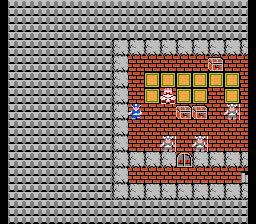
Welcome to the world of Dragon Quest, a legendary fantasy RPG series from Square Enix where you'll embark on epic quests to aid heroes on their journeys. You'll master controls, navigate ancient lands, and wield magic in a world filled with peril and puzzles. This is a classic role-playing experience that has captivated players since its NES origins.
This guide is your companion through Dragon Quest XI: Echoes of an Elusive Age. We'll help you conquer every challenge, from finding all the Mini Medal locations and Fun-Size Forge recipes to mastering character spells and abilities. We've also got you covered with a complete quest breakdown by Act and details on the PS4 Trophy Guide, including the Definitive Edition's bonus content and outfit customization.
<<------------------------------TABLE OF CONTENTS----------------------------->>
Comprehensive Dragon Quest walkthrough for Switch, mobile, and NES. Learn about its history, creators, and gameplay.
Dragon Quest was first released in Japan on May 27th, 1986, for the Famicom by developer Chunsoft and publisher Enix. The game was directed by Yuji Horii, with music by Koichi Sugiyama and art by Akira Toriyama, who later created Dragonball Z. The original NES version featured a Hero sprite that always faced south, required specific facing directions for interaction, and had rudimentary coastlines. The only save point was with the King of Tantegel Castle. The original Dragon Quest includes a Puff-Puff Massage lady, a feature absent in Dragon Warrior.
- The Switch version is identical to the mobile versions released for Android and iOS in 2013.
- The author spent over 20000 battles and 15000 spell casts to gather accurate data for the Hero Section and Bestiary.
- Specific tallies for dodge rates, critical hit rates, and encounter chances are available via email request.
- Players can email the author with questions or corrections to the data.
MAIN MENU
Dragon Quest Main Menu guide covering item use, equipment, status, spells, settings, and saving.
The Main Menu in Dragon Quest provides access to several crucial game functions:
Item List: View and manage all the items you have collected.
Use Item: Select an item from your inventory to use it.
Equip: Equip weapons, armour, shields, or accessories to improve your character's abilities.
Discard: Remove unwanted weapons, armour, shields, or accessories from your inventory.
Status: This screen displays your Hero's current level, HP (health points) and MP (magic points), equipped weapon, armour, shield, accessory, stats, and EXP (experience points) amounts.
Spells: View a list of all the spells your Hero currently knows.
Settings:
- Message Speed: Adjust the speed at which text appears on screen, which also affects battle speed.
- Sound: Control the volume levels for music and SFX (sound effects).
Travellers' Tips: Access helpful information and advice about the game.
Quick Save: Save your game progress at any point outside of battle.
- Regularly check your Status screen to monitor your Hero's progression and ensure you are properly equipped.
- Experiment with different equipment combinations to find the best setup for your playstyle.
- Use the Quick Save feature frequently to avoid losing significant progress.
BATTLE MENU
Learn about the Battle Menu in Dragon Quest, including Attack, Spells, Flee, and Items. Understand combat mechanics, saving, and more.
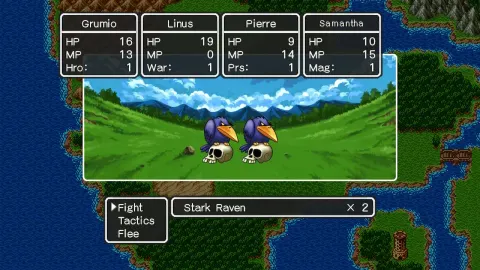
The Battle Menu in Dragon Quest allows you to manage your actions during combat. The available options are:
- Attack
- Use your equipped weapon to attack.
- Spells
- Cast a learned spell.
- Flee
- Attempt to escape from battle. This is not always successful, but the 4th attempt is guaranteed to succeed. If a monster is asleep, fleeing is guaranteed to succeed. If a monster doesn't notice your presence at the start of battle, fleeing is also guaranteed to succeed.
- Items
- Use an item from your inventory or equip/change your current weapon.
Important Combat Notes:
- Monsters can sometimes strike first in battle.
- If your HP drops to zero, you will be revived by the King of Tantegel, but you will lose half your gold (unless it's stored in a Vault).
- Damage dealt and taken can vary within a range. Monsters also have a HP range.
- Critical hits bypass monster resilience.
- Some monsters may dodge attacks or use a turn to defend, reducing incoming damage by 50%.
- Poisonous Swamps deal 2 damage per step, and damage tiles deal 15 damage per step. Erdrick's Armour grants immunity to both.
- Monsters may sometimes flee from battle if they are weaker.
- If a monster suddenly attacks at the start of battle, it gets a free turn.
- If a monster lands a Snooze spell on you, you have a 50% chance of waking up each turn.
Saving:
- Normal Save: Performed by talking to the King of Tantegel Castle and selecting "Yes" to record your tale. Selecting "No" to continue your quest will end the game.
- Quick Save: Allows saving anytime, anywhere, but uses a single save slot, overwriting previous Quick Saves.
- Autosave: Automatically saves progress in a separate location. It can be loaded from the title screen, but loading another file or Quick Save will cause the Autosave option to vanish. Use with caution, as it may not always work properly; Quick Saving is recommended.
Inventory and Storage:
- You can hold up to ten items, including equipment and accessories.
- Medicinal Herbs and Magic Keys stack up to 6 but only use 1 item slot each.
- Vaults in Tantegel and Cantlin can store items and gold (up to 99000G in increments of 1000G).
Other Notes:
- The Switch version is less grindy than the NES version but still requires time for leveling and gold acquisition.
- Talk to NPCs for clues and story elements.
- Resilience is a separate stat in this version, unlike the NES original.
- Seeds provide permanent stat boosts; use them immediately to save inventory space. Consider using Quick Save and resetting for desired stat boosts.
- Cursed items will prevent you from entering Tantegel Castle and saving. Sell them instead. A person in the Town of Tantegel can remove curses for free, but you will lose the cursed item.
<<---------------------------------PRE-JOURNEY-------------------------------->>
Learn how to start a new adventure in Dragon Quest, including character naming and message speed settings.
If you have already Quick Saved (saved your progress quickly), the option to load it will be available. Otherwise, you can venture forth into a new adventure.
Go ahead and create a new adventure log. Select which log you want, then make a name for yourself. In the NES version of Dragon Quest, your stat growth differs depending on your name, but not so much on the Switch version. So choose any name you want that's eight characters or less.
Next, select your message speed, which also affects battle speed, and select your volume levels. Once these are set, you are all set to go!
Note: Message speed and volume levels can be changed later by selecting the Misc. option in your Main Menu and then selecting Settings.
Similar guides you might like

100% Human-Written. AI Fact-Checked. Community Verified. Learn how AntMag verifies content