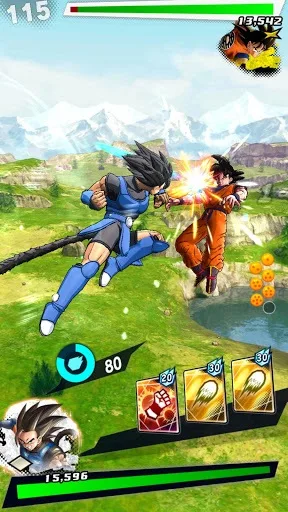
Master Dragon Ball Legends combat: learn powering up, flying, blocking, fireballs, and character switching. Essential guide for all players.
Walkthrough
- 1Controller Configuration: To reassign a button, navigate to the desired setting, press the A (Saturn) or O (Playstation) button, scroll to the new setting (indicated by a yellow line), and press A (Saturn) or O (Playstation) again to swap them. The Playstation version has an additional option under Controller Configure on the Options Menu for Memory settings, which saves/loads automatically if a memory card is inserted at the start (Saturn saves/loads automatically).
- 2Powering Up: Hold the power-up button. Your character will glow and be surrounded by energy. The longer you hold it, the more your character's energy meter fills. You are vulnerable while powering up.
- 3Flying: Hold up on the directional pad to advance towards your opponent; hold down to retreat. Pressing the power-up button while flying towards or away from your opponent makes your character flare with energy and fly faster, leaving an energy trail, but this consumes energy rapidly. Press the power-up button again to revert to normal speed. While using the fast energy boost, double-tap left or right on the control pad to fly in a circular pattern around your opponent, changing the angle of attack and rotating the screen. You can also fly at angles by double-tapping diagonally. For a quick burst of speed, double-tap and hold the control pad in a direction and press the power-up button.
- 4Blocking: Holding the block button blocks all attacks and prevents the opposing team from gaining power. You can only block attacks from your targeted opponent. Attacks from non-targeted opponents cannot be blocked, which is problematic in multi-character fights.
- 5Fireballs (Energy Attacks): Press the fireball button to shoot an energy burst. Holding the button and releasing it launches a barrage of fast energy bursts; the longer you hold it, the more bursts are fired and the more energy is consumed. The character locks aim at the targeted opponent's current position. If the opponent moves into the path of the bursts, they will be hit. If the opponent changes their angle of attack, the bursts may miss, leaving you vulnerable. Fireballs only slightly affect the power meter and are best used for slowing opponents.
- 6Character Select (Z Campaign Mode Only): This brings up the character select screen to substitute or call out a player. The computer controls all other fighters when this screen is active. To select a new character, you must have fewer than 3 characters in use. Highlight the character you wish to remove, press A (Saturn) or O (Playstation), and the word "Chain" will change to "Over." Then, highlight the character you wish to add (who must have "Over" under them) and press A (Saturn) or O (Playstation). "Open" will change to "Chain," and the new character will join the battle under your control. Press the Character Select button again to return to the battle.
- 7Scroll Player Characters: This button cycles through characters on your team. The larger portrait at the top shows your currently controlled character. The Saturn has one button that scrolls top to bottom. The Playstation has two buttons: one scrolls top to bottom, and the other scrolls bottom to top.
- 8Scroll Through Opposing Team (Targeting): This button cycles through characters on the opposing team. In one-player modes, these are represented by large pictures on the top right. In two-player modes, they are small portraits next to your characters' life and energy bars. The character you stop on is the only one your character can attack.
Tips
- Be aware that you are very vulnerable while powering up.
- Use the fast flying energy boost sparingly as it consumes energy quickly.
- The blocking system's limitation of only blocking targeted opponents can be frustrating in multi-character fights.
- Fireballs are most effective for slowing down opponents rather than dealing significant damage.
- Ensure you have fewer than 3 characters in use before attempting to substitute a character in Z Campaign mode.
100% Human-Written. AI Fact-Checked. Community Verified. Learn how AntMag verifies content