Navigate the world of Shin Megami Tensei IV with our comprehensive guide to its controls and user interface. Learn button layouts, menu navigation, and essential gameplay mechanics.
This guide covers the controls and user interface for Shin Megami Tensei IV. Understanding these elements is crucial for navigating the game's complex systems and engaging in its challenging battles.
| Action | Button |
|---|---|
| Move | Circle Pad |
| Camera Control | Circle Pad (Hold R) |
| Confirm / Action | A Button |
| Cancel / Menu | B Button |
| Open Menu | X Button |
| Jump | Y Button |
| Target Lock | L Button + Circle Pad |
| Skill Menu | R Button + A Button |
| Item Menu | R Button + B Button |
| Demon Menu | R Button + X Button |
| Status Menu | R Button + Y Button |
| Map | Touch Screen |
| Demon Negotiation | Touch Screen (Tap Demon) |
| Demon Fusion | Touch Screen (Select Demons) |
| Save | Touch Screen (Tap Save Point) |
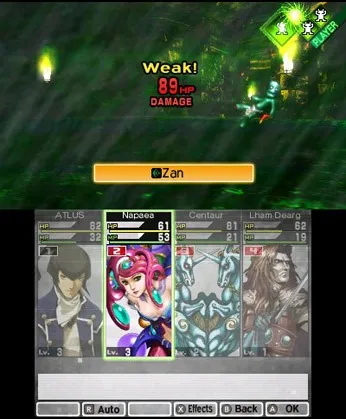
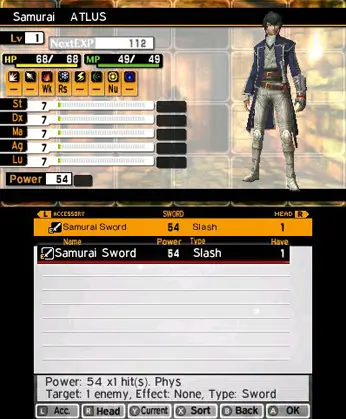
The user interface in Shin Megami Tensei IV provides essential information during exploration and combat. Key elements include the demon count, party member status, turn order, and enemy weaknesses. The map on the touch screen is vital for navigation, displaying your current location, objectives, and points of interest.
100% Human-Written. AI Fact-Checked. Community Verified. Learn how AntMag verifies content