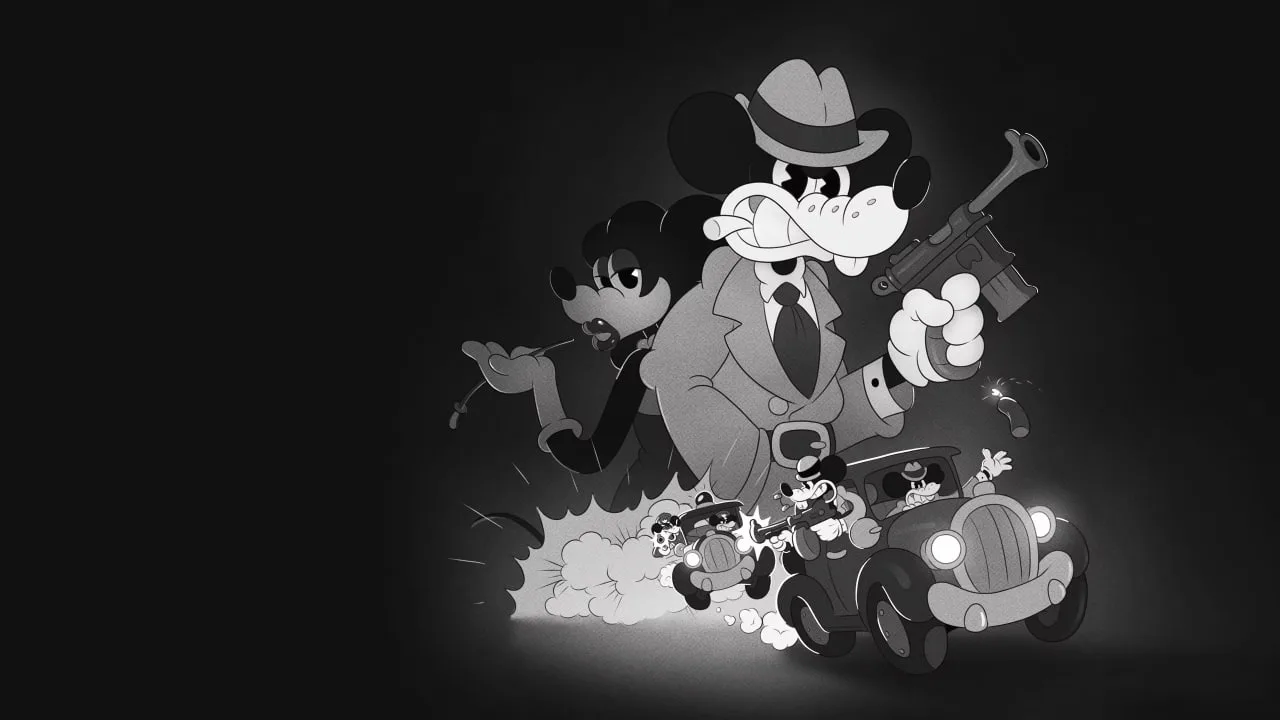
Step into the fedora of private investigator Jack Pepper in MOUSE: P.I. For Hire, a unique first-person shooter that blends the high-octane action of a guns-blazing adventure with the whimsical charm of 1930s rubber hose animation. Explore a world bursting with jazz-fueled energy as you take on cases, shoot your way through trouble, and unravel mysteries in this stylish 2026 release.
This guide is here to help you navigate the challenges of MOUSE: P.I. For Hire. We'll cover everything from tracking down elusive collectibles to mastering the toughest boss encounters, ensuring you can experience all the game has to offer, including its potential multiple endings and the coveted Gold Medal system.
PC System Requirements
Prepare for MOUSE: P.I. For Hire on PC. Check the minimum and recommended system specifications, including CPU, RAM, and OS, for a smooth detective experience.
To embark on your detective journey in MOUSE: P.I. For Hire on PC, ensure your system meets the following minimum and recommended specifications. Meeting these requirements will guarantee a smooth and immersive experience as you navigate the gritty streets of Noirville.
Minimum System Requirements:
- Operating System: Windows 10 (64-bit)
- Processor: Intel Core i3-4160 or AMD equivalent
- Memory: 8 GB RAM
- Graphics: NVIDIA GeForce GTX 660 or AMD Radeon HD 7850
- DirectX: Version 11
- Storage: 25 GB available space
- Sound Card: DirectX compatible
Recommended System Requirements:
- Operating System: Windows 10 (64-bit)
- Processor: Intel Core i5-7500 or AMD Ryzen 5 1600
- Memory: 16 GB RAM
- Graphics: NVIDIA GeForce GTX 1060 or AMD Radeon RX 580
- DirectX: Version 11
- Storage: 25 GB available space
- Sound Card: DirectX compatible
Meeting the recommended specifications will allow for higher graphical settings, smoother frame rates, and a more visually stunning presentation of the game's noir-inspired world. Always ensure your graphics drivers are up to date for optimal performance.
Console Installation Guide
Learn how to install MOUSE: P.I. For Hire on your PC, PlayStation 5, Xbox Series X/S, and Nintendo Switch. Get ready for a noir-fueled FPS adventure!
This guide provides information on installing MOUSE: P.I. For Hire on various consoles. The game is set to release in March 2026.
Platforms: PC, PlayStation 5, Xbox Series X/S, Nintendo Switch
Developer: Fumi Games
Publisher: PlaySide Studios
Release Date: March 19, 2026
Game Description: MOUSE: P.I. For Hire is a gritty, noir-fueled first-person shooter inspired by 1930s cartoons. Players step into the shoes of Private Investigator Jack Pepper in the corrupt city of Mouseburg, uncovering secrets, battling gangs, and using a variety of classic and creatively twisted weaponry.
Installation Instructions:
While specific console installation steps are not detailed in the provided text, typically for modern consoles, installation involves:
- Purchasing the game from the respective console's digital store (PlayStation Store, Microsoft Store, Nintendo eShop) or inserting the physical disc/cartridge.
- The console will prompt you to begin the installation process.
- Ensure your console has sufficient storage space and is connected to the internet for digital downloads and updates.
- Follow on-screen instructions to complete the installation.
For PC, installation will likely involve downloading through Steam or other digital storefronts.
Additional Resources:
- Official Website: PlaySide Studios MOUSE
- Steam Store Page: MOUSE: P.I. For Hire on Steam
Display & Graphics Settings
Adjust display and graphics settings in MOUSE: P.I. For Hire to optimize visuals and performance. Tailor resolution and window mode for your detective work.
Tailor your visual experience in MOUSE: P.I. For Hire by adjusting the display and graphics settings. These options allow you to balance visual fidelity with performance to suit your preferences and hardware capabilities.
Display Settings:
- Resolution: Choose the native resolution of your display for the sharpest image. Higher resolutions demand more from your hardware.
- Window Mode: Select between Fullscreen, Windowed, or Borderless Windowed. Fullscreen often provides the best performance, while Windowed modes offer easier alt-tabbing.
- V-Sync: Vertical Synchronization. Enable this to prevent screen tearing by capping your frame rate to your monitor's refresh rate. Disable it for potentially higher, uncapped frame rates, but risk tearing.
- Field of View (FOV): Adjust how much of the game world you can see at once. A wider FOV can be more immersive but may impact performance.
Graphics Settings:
- Texture Quality: Controls the detail of surfaces. Higher settings require more VRAM.
- Shadow Quality: Affects the detail and softness of shadows. Lowering this can significantly boost performance.
- Anti-Aliasing: Smooths out jagged edges on objects. Options like FXAA are less demanding than MSAA.
- Ambient Occlusion: Adds depth and realism to lighting by simulating how light is blocked by objects. Can be performance-intensive.
- Post-Processing Effects: Includes options like bloom, motion blur, and depth of field. Adjust these to your liking for visual flair or performance gains.
Experiment with these settings to find the sweet spot between stunning visuals and smooth gameplay. Lowering demanding settings like shadows and ambient occlusion is often the first step to improving frame rates.
PC Keyboard & Mouse Controls
Master MOUSE: P.I. For Hire on PC with our comprehensive keyboard and mouse controls guide. Learn every action and button mapping to become the ultimate detective.
This guide details the PC keyboard and mouse controls for MOUSE: P.I. For Hire. Understand every action and its corresponding input to navigate the gritty, noir-fueled world of Mouseburg.
| Action | Key |
|---|---|
| Move Forward | W |
| Move Backward | S |
| Move Left | A |
| Move Right | D |
| Jump | Spacebar |
| Crouch | Ctrl |
| Sprint | Shift |
| Interact | E |
| Primary Fire | Left Mouse Button |
| Aim Down Sights | Right Mouse Button |
| Reload | R |
| Melee Attack | F |
| Use Gadget/Ability | Q |
| Weapon Swap (Next) | Mouse Wheel Up |
| Weapon Swap (Previous) | Mouse Wheel Down |
| Weapon 1 | 1 |
| Weapon 2 | 2 |
| Weapon 3 | 3 |
| Weapon 4 | 4 |
| Pause Menu | Esc |
| Map | M |
| Inventory | I |
| Journal/Quests | J |
| Look Behind | C |
100% Human-Written. AI Fact-Checked. Community Verified. Learn how AntMag verifies content