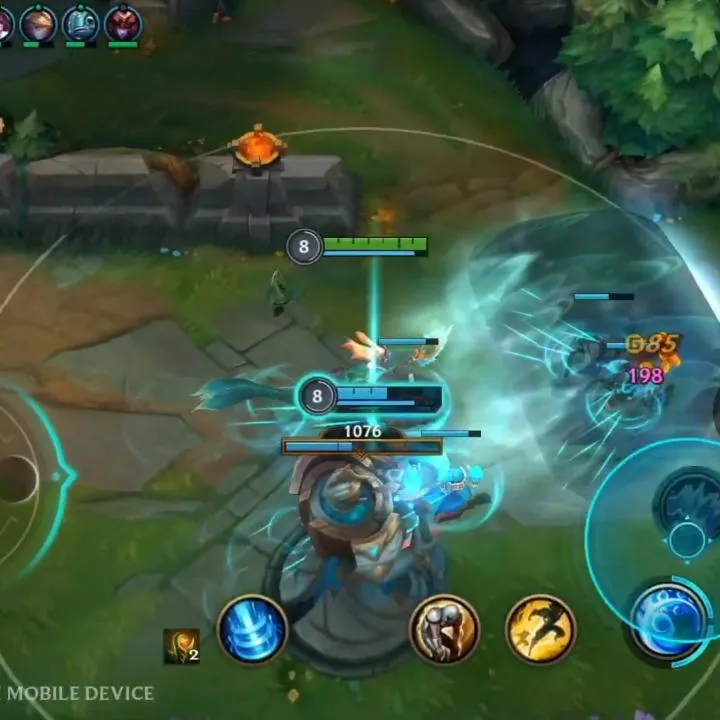
Understand the Wild Rift UI to track your health bar, abilities, and the minimap. Learn key information displayed at the top of the screen during matches.
The Wild Rift UI provides vital information during a match. At the top, you'll see the score, game timer, and team gold. Your champion's health and mana bars are prominently displayed, along with your abilities and summoner spells on the right. The minimap, located in a corner, offers a strategic overview of the entire battlefield, showing ally and enemy positions.
Compare understanding the user interface (ui) inCompany of Heroes 3100% Human-Written. AI Fact-Checked. Community Verified. Learn how AntMag verifies content