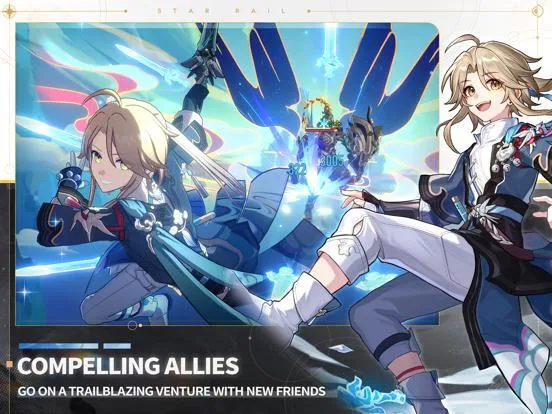
Embark on a cosmic journey in Honkai: Star Rail, a turn-based RPG where you'll explore diverse planets aboard the Astral Express. Engage in strategic combat, develop unique characters, and unravel compelling story arcs across locations like Jarilo-VI and Cloudford. Master the challenging Simulated Universe and understand character Paths to overcome formidable foes.
This guide is your essential companion to conquering the stars. We'll help you navigate complex character builds, from Fu Xuan's defensive prowess to Imbibitor Lunae's offensive might, and advise on acquiring the best Light Cones. Prepare to face down threats like the Doomsday Beast with expert tips and in-depth explanations.
Getting Started
Start your Honkai: Star Rail journey confidently. Master basic controls and the user interface to navigate the Astral Express and face galactic challenges.
Getting Started
Start your Honkai: Star Rail journey confidently. Master basic controls and the user interface to navigate the Astral Express and face galactic challenges.

Beginner Tips & Progression — Honkai: Star Rail Guide
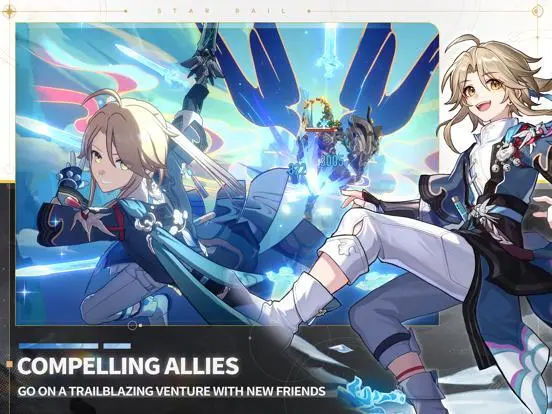
Learn beginner tips for Honkai: Star Rail progression. Optimize resource management and understand core mechanics to start your journey as a Trailblazer.
Welcome, new Trailblazer, to the vast and wondrous universe of Honkai: Star Rail! This guide will equip you with the essential knowledge and strategies to navigate your early journey, ensuring a smooth and rewarding experience. From understanding core mechanics to optimizing your resource management, these tips are designed to set you on the path to becoming a formidable force against the Stellaron's influence.
1. Prioritize Main Story & Trailblaze Level
Your primary objective in the early game should be to progress through the main story quests, also known as Trailblaze Missions. These missions are not just for narrative enjoyment; they are crucial for:
- Unlocking Core Features: Many vital game systems, such as daily training, specific farming locations (Calyxes, Caverns of Corrosion), and even new playable characters, are gated behind story progression.
- Increasing Trailblaze Level (TL): Completing story missions grants significant Trailblaze EXP. Your TL dictates the maximum level your characters can reach, unlocks higher-difficulty content, and provides valuable rewards like Stellar Jades and Star Rail Passes. Aim to complete all available Trailblaze Missions as soon as they appear.
2. Master the Basics of Combat: Weaknesses & Breaks
Understanding the combat system is paramount. Honkai: Star Rail employs a turn-based system with a critical "Weakness Break" mechanic:
- Elemental Weaknesses: Every enemy in the game has one or more elemental weaknesses (e.g., Fire, Ice, Wind, Lightning, Physical, Quantum, Imaginary). These are displayed above their health bar. Attacking an enemy with a character whose element matches their weakness will deplete their Toughness bar.
- Toughness Bar & Weakness Break: Below an enemy's HP bar is a white "Toughness" bar. When this bar is fully depleted by hitting weaknesses, the enemy enters a "Weakness Break" state. This state applies a powerful debuff specific to the element that caused the break (e.g., Freeze for Ice, Shock for Lightning, Bleed for Physical) and delays their next turn significantly.
- Early Team Building: In the early game, focus on building a diverse team that can cover multiple elemental weaknesses. A good starting team might include:
- Trailblazer (Physical/Fire): Your main character, versatile and free.
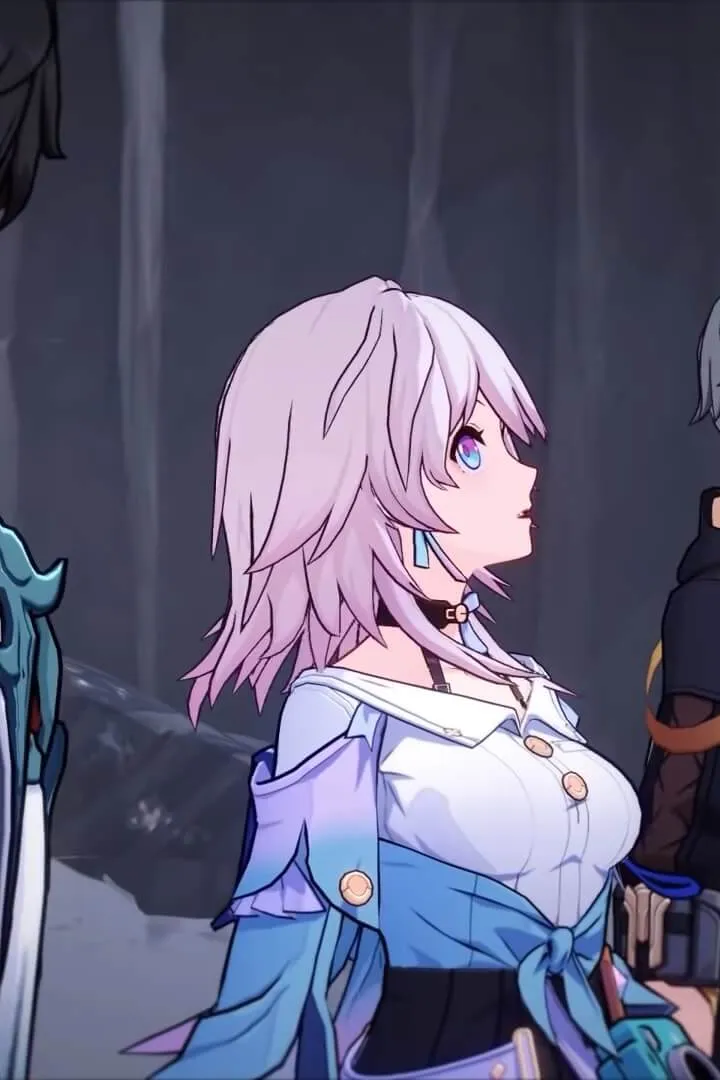
- March 7th (Ice): Excellent shielder and single-target damage.
- Dan Heng (Wind): Strong single-target damage.
- Natasha (Physical): Your first free healer, essential for survivability.
3. Efficient Trailblaze Power Usage
Trailblaze Power (TP) is Honkai: Star Rail's equivalent of "stamina" or "energy." It regenerates over time and is consumed to undertake various farming activities. Using it wisely is crucial for progression.
- What to Spend TP On:
- Calyxes (Golden): These are your primary source for Character EXP Materials (Traveler's Guide, Adventure Log) and Light Cone EXP Materials (Condensed Aether). They also provide Credits. Prioritize these to level up your main team.
- Calyxes (Crimson): These yield Trace Materials, which are used to upgrade your characters' abilities (Skills, Ultimates, Talents). Focus on farming materials for your main damage dealers and supports first.
- Caverns of Corrosion: These dungeons drop Relics, which are powerful gear pieces that significantly boost character stats. While tempting, avoid heavily farming Relics in the early game (before Equilibrium Level 3 or 4). The drop rates for high-rarity Relics are low at lower Equilibrium Levels, making it inefficient. Save your TP for EXP and Trace materials first.
- Daily Routine: Always aim to spend all your Trailblaze Power before logging off for the day to maximize regeneration. Don't let it cap!
4. Character & Light Cone Progression
Keeping your characters and their Light Cones (weapons) leveled and ascended is fundamental to increasing your team's power.
- Leveling Up: Use Character EXP Materials (from Golden Calyxes) to raise character levels. Similarly, use Light Cone EXP Materials (from Golden Calyxes) for Light Cones.
- Ascension: At certain level caps (e.g., Level 20, 30, 40), characters and Light Cones require Ascension materials to increase their maximum level cap. These materials are typically farmed from specific enemies in the open world or from Stagnant Shadows. Ascending also unlocks new Traces for characters.
- Traces: These are passive abilities and stat boosts unique to each character. Unlock and upgrade them using Trace Materials (from Crimson Calyxes) to significantly enhance your characters' combat effectiveness. Prioritize upgrading Traces that boost your main damage dealer's primary attack or skill, and your healer's healing ability.
5. Daily Activities & Stellar Jade Management
Consistency is key in Honkai: Star Rail. Incorporate these daily habits into your routine:
- Daily Training: Complete the objectives listed under "Daily Training" in your Interastral Guide. These are simple tasks that reward you with Trailblaze EXP, Credits, and most importantly, 60 Stellar Jades daily. This is a consistent and free source of premium currency.
- Assignments: Send your characters on Assignments from the Interastral Guide. These passive missions grant various resources like Character EXP, Credits, and even Ascension materials over time.
- Simulated Universe: This roguelike mode offers weekly rewards, including Stellar Jades, Herta Bonds (for purchasing powerful Light Cones), and Relic materials. Even if you can't clear the highest difficulties, complete what you can each week.
- Stellar Jade Savings: Stellar Jades are the premium currency used for "Warping" (gacha pulls) on banners.
- Save for Limited Banners: As a free-to-play or low-spending player, it's highly recommended to save your Stellar Jades for limited-time character banners that feature characters you truly desire or that fill a crucial role in your team.
- Avoid Standard Banner: While you'll get some free Standard Star Rail Passes, avoid spending Stellar Jades on the "Stellar Warp" (standard banner). The character pool is permanent, and you'll naturally accumulate characters from it over time.
6. Exploration & Hidden Treasures
The worlds of Honkai: Star Rail are rich with secrets. Take your time to explore every nook and cranny:
- Chests: Look for glowing chests scattered throughout maps. They contain Credits, Character EXP materials, Relics, and sometimes even Stellar Jades.
- Warp Trotters: These elusive pig-like creatures are mini-bosses that drop Stellar Jades upon defeat. They often appear in hidden corners or after solving simple puzzles. They will attempt to flee after a few turns, so prioritize defeating them quickly.
- Puzzles & Interactables: Many areas feature environmental puzzles or interactive objects that can lead to hidden chests, lore entries, or even unique conversations with NPCs. Don't be afraid to click on everything!
By following these beginner tips, you'll establish a strong foundation for your journey across the stars. Remember to enjoy the story, experiment with different team compositions, and most importantly, have fun!
Simulated Universe Tutorial
Begin your Honkai: Star Rail journey with the Simulated Universe tutorial. Understand Blessings and Curios in this roguelike mode by following Herta's guidance.
As part of the game's introductory sequence, players will receive a guided tutorial for the Simulated Universe. This unique roguelike mode is a cornerstone of Honkai: Star Rail's endgame content and a vital source of valuable rewards, including Relics and Stellar Jades. During this tutorial, Herta, the enigmatic astrophysicist, will provide detailed explanations of the mode's mechanics, including the acquisition and effects of Blessings and Curios. It is important to pay close attention to her guidance, as understanding these elements is crucial for success in subsequent Simulated Universe runs. For the purpose of this initial tutorial, the objective is straightforward: follow the designated path, engage and defeat the specified enemies, and progress through the simulated environment. Players are encouraged not to stress about optimizing their build or achieving high scores at this stage. The primary goal is to familiarize oneself with the interface, the concept of acquiring Blessings as you advance, and the general flow of a Simulated Universe run. The enemies presented in the tutorial are designed to be manageable, allowing players to experiment with basic combat actions and understand how Blessings can alter their characters' capabilities. This early exposure sets the stage for more complex and challenging runs later in the game, where strategic Blessing and Curio selection will be paramount.
Initial Setup & Controls — Honkai: Star Rail Guide
Master Honkai: Star Rail controls with our guide covering essential hotkeys, character customization, and platform-specific schemes to begin your journey.
Welcome, Trailblazer, to the vast and enigmatic universe of Honkai: Star Rail! Before you embark on your cosmic journey aboard the Astral Express, a proper understanding of the initial setup process and mastering the controls is paramount. This section will guide you through character creation, essential control schemes across all platforms, and crucial hotkeys to ensure a smooth and enjoyable experience from the very first warp jump.
Character Creation: Your Trailblazer's Identity
Upon your inaugural launch of Honkai: Star Rail, your first task will be to awaken and customize your protagonist, the Trailblazer. This is a critical step, as certain choices made here are permanent. Take your time and choose wisely!
- Gender Selection: You will be presented with the option to choose between a male or female Trailblazer. This choice is purely cosmetic and does not impact gameplay, stats, or story progression. However, once selected, it cannot be changed later.
- Name Your Trailblazer: You'll be prompted to enter a name for your character. This name will be displayed throughout the game, in dialogue, and to other players if you utilize social features. Like gender, your chosen name cannot be altered after confirmation, so pick something you'll be happy with for the long haul!
After finalizing your Trailblazer's identity, you'll be thrust into the opening cinematic and tutorial sequence, where the game will gently introduce you to its core mechanics and control schemes.
Mastering the Controls: Navigating the Star Rail
Whether you're playing on PC, mobile, or PlayStation 5, understanding the control layout is fundamental to efficient exploration and combat. While the game provides in-game tutorials, this comprehensive guide will give you a head start.
PC Controls: Keyboard & Mouse
PC players benefit from the precision of a keyboard and mouse. Here's a breakdown of the most common and essential controls:
- Movement:
W: Move ForwardA: Move LeftS: Move BackwardD: Move RightShift(Hold): Sprint (consumes Stamina)
- Interaction & Combat:
Left-Click: Interact with objects, initiate dialogue, basic attack in combat (when applicable), select menu options.Right-Click: Primarily used to activate your active character's Technique outside of combat. Techniques are special abilities that provide various buffs or effects before entering battle. In some specific character abilities, it might have a secondary function (e.g., aiming certain skills), but its primary universal use is for Techniques.Scroll Wheel: Adjust camera zoom in and out.Spacebar: Jump (primarily for traversal over small obstacles, not a core combat mechanic).E: Activate your active character's Skill in combat.Q: Activate your active character's Ultimate in combat (when charged).Z: Toggle Auto-Battle during combat.1, 2, 3, 4: Switch between active party members during exploration.
- Essential Hotkeys (PC Specific):
These hotkeys provide quick access to vital game menus, streamlining your experience:
Esc: Open the Main Menu (access settings, inventory, character screen, etc.).M: Open the Map.J: Open the Missions/Quest Log.C: Open the Character Details screen.B: Open the Inventory.V: Open the Light Cone (weapon) management screen.T: Open the Relic management screen.P: Open the Phone (in-game communication and features).G: Open the Guide/Tutorials.F1: Open the Battle Pass.F2: Open the Events menu.F3: Open the Warp (gacha) menu.F4: Open the Friends list.Tab: Cycle through enemies in combat for targeting (when applicable).
Mobile Controls: Touch Interface
Mobile players will find an intuitive touch-based control scheme designed for ease of use on smaller screens. The UI dynamically adjusts to your actions.
- Movement: Drag your left thumb on the screen to activate a virtual joystick for movement.
- Camera Control: Drag your right thumb on the screen to rotate the camera.
- Interaction: Tap on interactive objects (glowing indicators) or NPCs to interact.
- Combat:
- Tap character portraits to select them.
- Tap skill icons to activate Skills and Ultimates.
- Tap on enemies to target them.
- Tap the "Auto" button to toggle auto-battle.
- Technique: A dedicated "Technique" button will appear on the screen when a Technique is available for use outside of combat.
- Menu Access: Tap the various icons on the screen (e.g., map icon, mission log icon, character icon, main menu icon in the top-left) to access respective menus.
PlayStation 5 Controls: DualSense Controller
PS5 players will utilize the DualSense controller for a console-optimized experience. The layout is generally consistent with other RPGs on the platform.
- Movement:
Left Analog Stick: Move Character.L3(Press Left Analog Stick): Sprint.
- Camera Control:
Right Analog Stick: Rotate Camera. - Interaction & Combat:
X Button: Interact, confirm selections, basic attack in combat.Circle Button: Cancel, back out of menus.Square Button: Activate your active character's Skill in combat.Triangle Button: Activate your active character's Ultimate in combat.R2: Activate your active character's Technique outside of combat.L1/R1: Cycle through party members during exploration or targets in combat.Touchpad(Press): Open Main Menu.
- Menu Access:
Options Button: Open Main Menu.D-Pad Up: Open Map.D-Pad Left: Open Missions/Quest Log.D-Pad Right: Open Character Details.
Familiarizing yourself with these controls will allow you to seamlessly navigate the world, engage in thrilling turn-based combat, and manage your growing roster of powerful characters. Don't hesitate to experiment with the in-game control settings to find a configuration that best suits your playstyle.
Similar guides you might like

100% Human-Written. AI Fact-Checked. Community Verified. Learn how AntMag verifies content