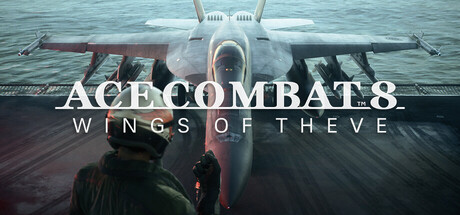
Enhance situational awareness in Ace Combat 8: Wings of Theve. Configure audio settings to better track enemy aircraft and incoming threats.
The sound des in Ace Combat 8: Wings of Theve is crucial for immersion and, more importantly, for providing vital situational awareness. Properly configuring your audio settings can give you a significant edge in combat.
Master Volume: This is your primary control. Ensure it's set to a comfortable level, but be aware that you need to hear critical audio cues over the roar of engines and explosions.
Dialogue and Radio Chatter: This is arguably the most important audio channel for situational awareness. Your wingmen, AWACS, and ground control provide invaluable information about enemy positions, incoming threats, mission objectives, and tactical advice. Ensure this is set loud enough to be clearly understood, even during intense combat. You don't want to miss a warning about a missile lock or a new enemy ace entering the fray.
Sound Effects: This category encompasses everything from missile launches and explosions to engine noise and weapon fire. While important for immersion, you may need to slightly lower this if it's drowning out crucial dialogue. However, the distinct sound of an incoming missile lock or the roar of a powerful enemy aircraft can serve as an auditory warning.
Music Volume: The game's soundtrack is designed to enhance the epic feel of the missions. While it can be motivating, it can also mask important audio cues. Consider lowering the music volume during critical combat phases or when you need to focus on radio chatter and sound effects. You can always turn it back up during calmer moments or between engagements.
Surround Sound/Spatial Audio: If your audio setup supports it (e.g., 5.1 or 7.1 surround sound, or virtual surround on headphones), enable these options. Spatial audio can help you pinpoint the direction of enemy aircraft and incoming threats, giving you a crucial advantage in tracking and evasion.
Subtitles: Even with optimal audio settings, it's always a good idea to have subtitles enabled for dialogue and radio chatter. This provides a backup and ensures you don't miss any critical information, especially in fast-paced situations or if you're playing with music at a higher volume.
Testing: The best way to fine-tune your audio is to play through a few missions, paying close attention to what you can and cannot hear. Adjust individual volume sliders until you can clearly distinguish all important audio cues.
100% Human-Written. AI Fact-Checked. Community Verified. Learn how AntMag verifies content