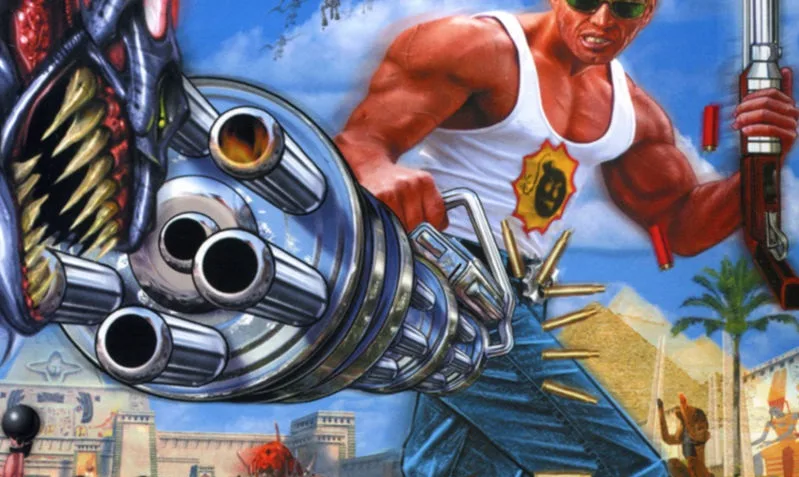
Dive into Part 3 of our Serious Sam: The First Encounter guide. Learn about the game's story, installation, and main menu options to get you ready for action.
Alright, let's get into Part 3 of our Serious Sam walkthrough. This section is going to cover a few different things to get you fully prepped before you really start blasting through those hordes. We'll touch on the game's story, how to get the game installed and running, and a quick look at the main menu.
The Story...
So, the setup for Serious Sam is pretty wild. It's the dawn of the 21st century, and humanity stumbles upon ruins of an ancient, super-advanced civilization buried deep beneath the sands. This discovery leads us to explore the far reaches of the universe, and things seem almost too good to be true.
Then, BAM! In 2104, everything goes south. A massive alien invasion kicks off, with countless monsters pouring in from another dimension. Earth's forces fight hard, but they're getting overwhelmed, losing planet after planet as the alien menace pushes back towards our solar system.
Amidst all this chaos, Sam 'Serious' Stone becomes a legend. He's this incredibly brave soldier who's taken a beating countless times but never stayed down. He's the symbol of Earth's resistance, but even he can't stop the tide alone. With Earth under direct attack and annihilation staring us in the face, world leaders have one last desperate hope: the 'Time-Lock'.
This is an ancient artifact, a relic from a long-lost race, that can send one person back in time. And who's the obvious choice? You guessed it – Serious Sam. He's humanity's final hope, tasked with jumping back to the past to rewrite history and save everyone from a galaxy-purging evil.
Installing Serious Sam
Getting the game installed is pretty straightforward. Here’s how you do it:
- First off, make sure you quit out of all other applications. Then, pop the Serious Sam CD into your CD-ROM drive.
- Quick Tip for Windows 98 users: To make sure everything is closed down tight, press CTRL+ALT+DELETE. Then, select 'End Task' for every program listed except for SYSTRAY and EXPLORER. This really helps prevent installation issues.
- Normally, the installation screen should pop up automatically. If it doesn't (maybe autoplay is off), don't worry. Just double-click the 'My Computer' icon on your desktop, then double-click your CD-ROM drive (it's usually D: or E:), and finally, double-click 'setup.exe' to kick things off.
- Just follow the instructions that appear on your screen.
- If the game prompts you to reboot, go ahead and do that.
Note on Autoplay: If you want to make sure autoplay works for future installs, here’s how to enable it:
- Click 'Start', then 'Settings', then 'Control Panel'.
- Find and double-click the 'System' icon (it looks like a computer).
- In the box that pops up, click the 'Device Manager' tab.
- Look for 'CDROM' in the list. You might need to double-click it or click the little plus sign next to it to expand it.
- Double-click the name of your CDROM drive. A Properties box will appear.
- At the top of this box, click the 'Settings' tab.
- Make sure the box next to 'Auto insert notification' has a checkmark in it.
- Click 'OK', and reboot if prompted.
Main Menu
Once you get the game loaded up, you'll be greeted by the main menu. From here, you can jump into the action. The primary option you'll be looking at is 'Single Player', which is where you'll start your journey through the campaign.
A Note on Sound and Music
Seriously, the sound design in this game is fantastic. You'll hear those Kamikazi guys screaming their lungs out long before they're anywhere near you, which is both terrifying and awesome. And when the action really heats up, especially against bosses or huge waves of enemies, a killer heavy metal track kicks in. It perfectly matches the chaos and really amps up the intensity. It’s a big part of what makes the game so much fun.
Multiplayer Thoughts
The multiplayer is pretty standard stuff. You've got your classic Deathmatch, which is always fun for some quick fragging. The Cooperative mode is also a blast – my workmate and I got pretty far in it before he decided to rocket-jump me into oblivion! Still, it’s incredibly enjoyable. While a team game like Capture The Ankh or a built-in server browser would have been nice additions, the Co-op as it is offers a ton of fun.
Overall Impression
When all is said and done, Serious Sam is just a pure, enjoyable kill-fest. It’s the kind of game that’ll numb your finger from all the shooting, but definitely not your mind. If this were a formal review, it'd be a solid 9.5 out of 10 from me.
Recommendation
BUY THIS GAME! Seriously, it's an absolute blast.
SloDeth's Additions
I have to echo the sentiment about the sheer number of enemies. While I love mowing down hordes, sometimes it really does feel like 'Goddamn, enough is enough!'. However, the game is priced really well. If it were more expensive, I might hesitate, but at around $20, it's absolutely worth every single penny.
100% Human-Written. AI Fact-Checked. Community Verified. Learn how AntMag verifies content