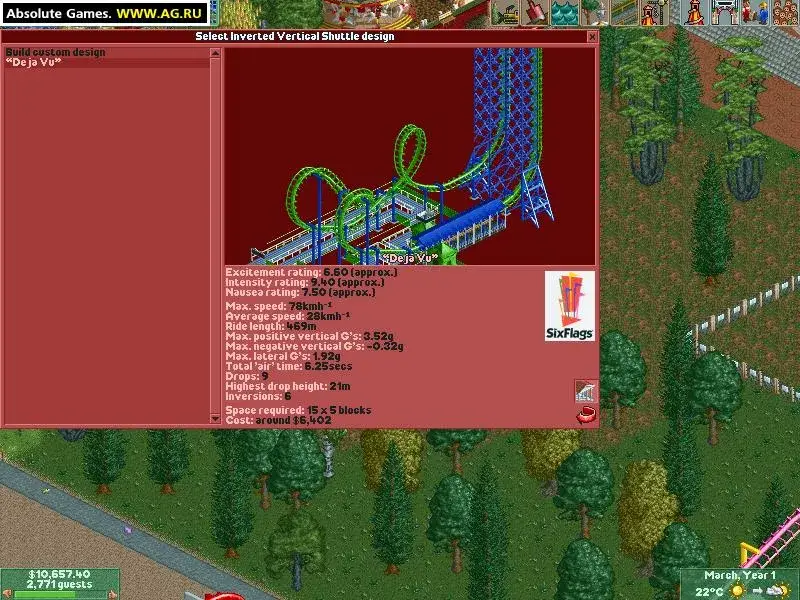
Comprehensive RollerCoaster Tycoon 2 walkthrough covering gameplay, scenario editor, and advanced rollercoaster design techniques.
Walkthrough
- 1PRESECTION
- Author & Copyright Notice
- 2Site License Agreement
- 3MAIN SECTION
- Walkthrough Info & Contact Info
- Walkthrough Info
- Walkthrough Info & Contact Info
- 4Font Check
- 5Walkthrough Stats
- 6Walkthrough History
- 7Contact Info
- 8PSE 2 (Phrase Search Engine 2)
- What is PSE 2
- 9How to use PSE 2
- 10FAQ on PSE 2
- 11PSE 2 Version History
- 12RCT2 Encyclopaedia
- 13PREINTRO
- 14WALKTHROUGH
- HOW TO PLAY/BEGINNER WALKTHROUGH
- Chapter I: Getting started
- Keyboard commands
- Chapter I: Getting started
- HOW TO PLAY/BEGINNER WALKTHROUGH
- 15Saving and loading a game
- 16Main menu
- 17Game elements
- Common window elements
- 18Main view screen
- 19Finances and park rating
- 20Date, weather messaging
- 21Chapter II: Building the park of your dreams
- Park information
- 22Reshaping your land
- Scenery shaping tool
- 23Land and water windows
- Rising and lowering land
- 24Sloping landscape
- 25Scenery
- How to place scenery
- 26How to place elevated scenery
- 27Paths
- Foothpaths and queue lines
- 28Building paths
- 29Ride construction
- Constructing rides
- 30Building a ride
- 31Ride construction window
- 32Carrying for your new ride
- 33Running a park
- Staff
- Hiring staff
- Staff
- 34Managing staff
- 35Managing rides and facilities
- 36Caring for guests
- Individual guest window
- 37Guests summary window
- 38Other guest information
- 39Finances
- Fiscal reports
- 40Chapter III: Using Rollercoaster Designer
- Rollercoaster Designer
- 41Coaster checklist
- 42Managing your track design
- 43Chapter IV: Designing a scenario & using the scenario editor
- Tips on using the scenario editor
- 44Scenario editor elements
- Select objects
- 45Landscape editor
- 46Inventions list setup
- 47Options selection
- 48Objective selection
- 49Save scenario
- 50Converting a saved game to a scenario
- 51Chapter V: Final notes
- 52GAME WALKTHROUGH
- Chapter I: Rides available
- Transport rides
- Chapter I: Rides available
- 53Gentle rides
- 54Rollercoasters
- 55Chapter II: Ten easy steps on creating the perfect park
- 56Chapter III: Scenario walkthroughs
- Walkthroughs for beginner parks
- Crazy Castle
- Walkthroughs for beginner parks
- 57Electric Fields
- 58Factory Capers
- 59Walkthroughs for challenging parks
- Amity Airfield
- 60Botany Breakers
- 61Bumbly Bazaar
- 62Dusty Greens
- 63Fungus Woods
- 64Gravity Gardens
- 65Infernal Views
- 66Walkthroughs for expert parks
- Alpine Adventures
- 67Extreme Heights
- 68Ghost Town
- 69Lucky Lake
- 70Rainbow Summit
- 71Walkthroughs for real parks
- Six Flags Belgium
- 72Six Flags Adventure
- 73Six Flags Holland
- 74Six Flags Magic Mountain
- 75Six Flags Over Texas
- 76Walkthroughs for other parks
- 77Chapter IV: Money chart
- 78Chapter V: Final notes
- 79ADVANCED TECHNIQUES
- Chapter I: Introduction
- 80Chapter II: Designing rollercoasters
- Coaster Types
- 81Ride Characteristics
- Excitement rating
- 82Intensity rating
- 83Nausea Factor
- 84Starting to build a rollercoaster
- The Station
- 85The Lift Hill
- 86Hills and Loops
- 87Ride Length
- Double Rollercoaster Strategy
- 88Coaster example
- 89Rollercoaster Crashes
- 90Hints and tips on building coasters
- 91Final notes
- 92Chapter III: Designing a 4D rollercoaster
- Getting Started
Tips
- Familiarize yourself with keyboard commands for efficient gameplay.
- Understand common window elements and the main view screen.
- Pay close attention to finances and park rating to ensure profitability.
- Master the scenario editor for custom park creation.
- Experiment with different rollercoaster designs to maximize guest enjoyment and ride ratings.
100% Human-Written. AI Fact-Checked. Community Verified. Learn how AntMag verifies content