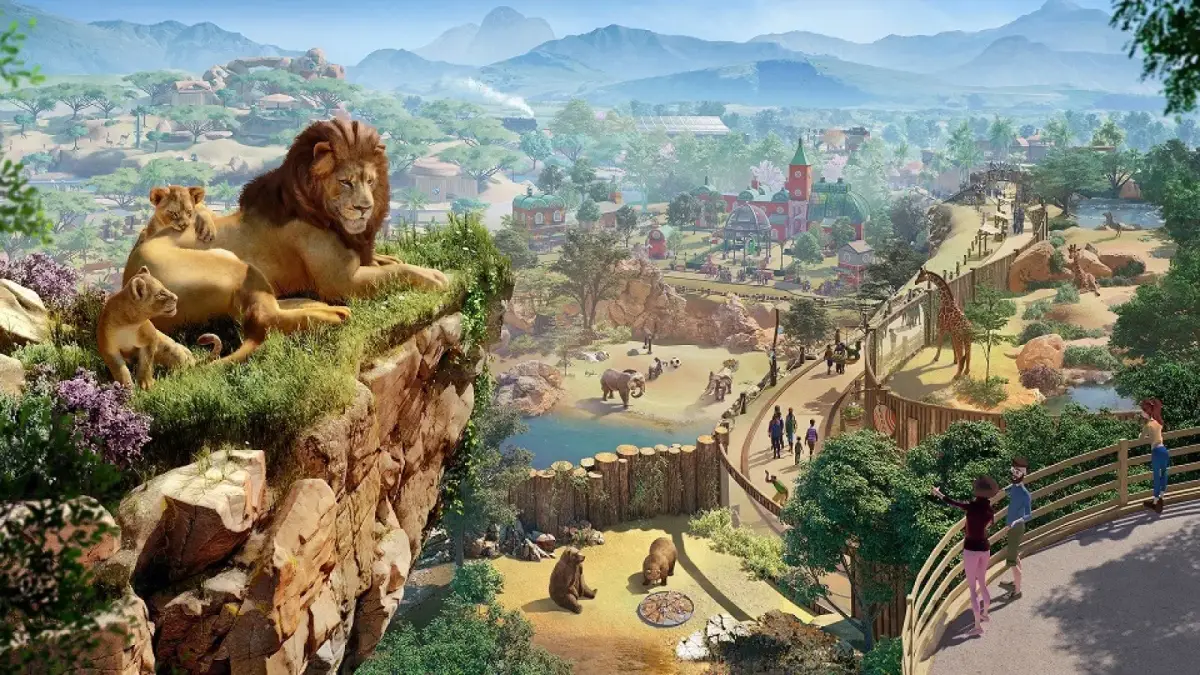
Master Planet Zoo's Animals & Habitats system. Learn to place animals, manage habitat needs, and create guest-pleasing zoos with thriving animal welfare.
Welcome, aspiring zookeepers! The heart of any successful zoo lies in the well-being of its animals and the thoughtful design of their habitats. This comprehensive guide will walk you through the essential steps to create thriving environments, ensuring both animal happiness and guest satisfaction.
Initial Animal Acquisition & Habitat Placement
Your journey begins with selecting your first residents. For a strong start, consider animals with lower habitat requirements and good guest appeal. We recommend starting with the Grizzly Bear or the African Wild Dog due to their relatively straightforward needs and engaging behaviors.
- Access the Animal Market: Navigate to the "Animals" tab in your main menu. Select "Animal Market" to browse available species.
- Purchase Your First Animals: Filter by species or conservation credit cost. For beginners, prioritize animals that require fewer specific biome elements. Purchase a breeding pair if possible to encourage natural population growth.
- Place the Habitat Gate: Once animals are purchased, they will be sent to your Trade Center. Before releasing them, you need a habitat. Go to the "Construction" menu, then "Habitats." Select the "Habitat Gate" and place it strategically within your zoo layout. This acts as the entry point for your animals and staff.
- Define Habitat Boundaries: Use the "Barrier" tool (found under "Habitats" in Construction) to enclose an area around your Habitat Gate. Start with a simple square or rectangle. For Grizzly Bears, a minimum of 1,200m² is recommended, while African Wild Dogs need around 900m².
- Select Appropriate Barriers:
- Grizzly Bears: A sturdy barrier like the "Reinforced Concrete Barrier" or "Steel Mesh Barrier" (at least 3.5m high) is crucial for containment.
- African Wild Dogs: The "Chain Link Barrier" or "Glass Barrier" (at least 2.5m high) is suitable, offering good visibility for guests.
Habitat Essentials: Meeting Animal Needs
Once your basic enclosure is set, it's time to delve into the specifics that keep your animals happy and healthy. Failing to meet these needs will lead to stress, illness, and poor breeding outcomes.
Terrain & Biome Matching
Every animal has specific terrain and biome preferences. These are critical for their welfare. You can check an animal's exact requirements in the "Animal Information" panel.
- Terrain Painting: Access the "Terrain" tool from the Construction menu.
- Grizzly Bears: Require a mix of "Temperate Grass" and "Forest Floor". Use the paint tool to apply these textures within their habitat. Ensure at least 60% grass and 40% forest for optimal comfort.
- African Wild Dogs: Thrive in "Savannah Grass" and some patches of "Dry Sand". Aim for 70% savannah grass and 30% dry sand.
- Water Bodies: Many animals require water. Use the "Water" tool to dig a pond or stream.
- Grizzly Bears: Benefit greatly from a deep pond for swimming and cooling off. Ensure it's large enough for them to fully submerge.
- African Wild Dogs: While not essential for swimming, a small water source for drinking is beneficial.
Foliage & Enrichment
Foliage provides cover, climbing opportunities, and aesthetic appeal. Enrichment items keep animals mentally stimulated.
- Planting Trees & Shrubs: Go to "Nature" in the Construction menu, then "Foliage." Select plants appropriate for your animal's biome.
- Grizzly Bears: Plant "Coniferous Trees" like the "Scots Pine" and dense "Shrubs" for cover. Aim for 50-70% plant coverage.
- African Wild Dogs: Use "Acacia Trees" and "Savannah Bushes" for shade and visual barriers. Target 40-60% plant coverage.
- Enrichment Items: Under "Habitats" then "Enrichment," you'll find various items.
- Food Enrichment: Always include items like the "Foraging Box" or "Suspended Feeder" to make feeding more engaging.
- Toy Enrichment: For Grizzly Bears, the "Scratching Post" and "Large Ball" are excellent. For African Wild Dogs, consider the "Tug Toy" and "Scent Marker".
- Shelter: Every animal needs adequate shelter from the elements and privacy. Place a "Shelter" (found under "Habitats" -> "Shelters") that is large enough for all animals in the habitat.
Food & Water Stations
Animals need constant access to food and fresh water.
- Food Bowls: Place at least one "Food Bowl" per animal, or a large communal one, within the habitat. Ensure it's easily accessible by keepers.
- Water Bowls: Similarly, place "Water Bowls" or ensure access to a clean water source.
- Keeper Access: Ensure there's a clear path for your keepers to reach food and water stations, as well as the habitat gate, for efficient maintenance.
Monitoring & Adjusting Habitats
Your work isn't done after initial setup. Constant monitoring is key to a thriving zoo.
- Animal Information Panel: Click on any animal to open its information panel. Pay close attention to the "Welfare" tab, specifically "Habitat," "Social," and "Nutrition." Red icons indicate problems.
- Heat Maps: Use the "Heat Maps" overlay (accessible from the bottom left of your screen) to visualize habitat suitability, guest visibility, and staff accessibility.
- Habitat Suitability: A green overlay indicates good suitability. Red areas mean adjustments are needed (e.g., more specific terrain, less crowded foliage).
- Guest Visibility: Ensure guests have clear sightlines to your animals without causing them stress.
- Staff Management: Assign keepers to specific work zones that include your habitats. This ensures regular cleaning, feeding, and enrichment item refreshing. Build a "Keeper Hut" nearby for efficiency.
By following these detailed steps and continuously monitoring your animals' needs, you'll be well on your way to creating a world-class zoo that both animals and guests adore. Remember, patience and observation are your greatest tools!
100% Human-Written. AI Fact-Checked. Community Verified. Learn how AntMag verifies content