
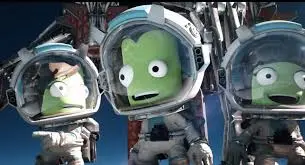
Get a grip on Kerbal Space Program 2's controls and UI. Learn the basics of building, launching, and flying your rockets with this friendly guide.
Hey there, future space explorer! So you've just booted up Kerbal Space Program 2 and you're probably looking at a whole lot of buttons and readouts. Don't worry, it can seem a bit overwhelming at first, but it's actually pretty straightforward once you know what everything does. Think of this as your friendly co-pilot helping you get acquainted with the cockpit.
KSP 2 is all about building rockets and sending Kerbals on wild adventures. You'll be dealing with realistic physics, managing your precious fuel, and figuring out how to actually get into orbit and beyond. This sequel builds on the original with a slicker interface and promises even more awesome stuff down the line, like building colonies and even traveling between stars, plus multiplayer!
Right now, the game is in Early Access, which is super cool because you get to play around in the sandbox and help shape the game's future with your feedback. It's a great way to learn the ropes and get a feel for what makes KSP 2 tick.
The developers have put a lot of effort into making the game accessible, even with its complex systems. You'll find that the revamped UI and Map View are a big help, and the new environments are a joy to explore. So, let's dive in and get you comfortable with the controls so you can start building some amazing rockets!
100% Human-Written. AI Fact-Checked. Community Verified. Learn how AntMag verifies content