Master the Tales of Xillia 2 user interface with our comprehensive guide. Learn about menus, combat HUD, item management, and more to enhance your gameplay experience.
This guide will help you understand the various elements of the user interface in Tales of Xillia 2. Navigating menus, understanding combat information, and managing your inventory are key to a smooth gameplay experience.
The UI in Tales of Xillia 2 provides crucial information at a glance. Key elements include:
- Main Menu: Access character status, inventory, skills, party formation, and game settings.
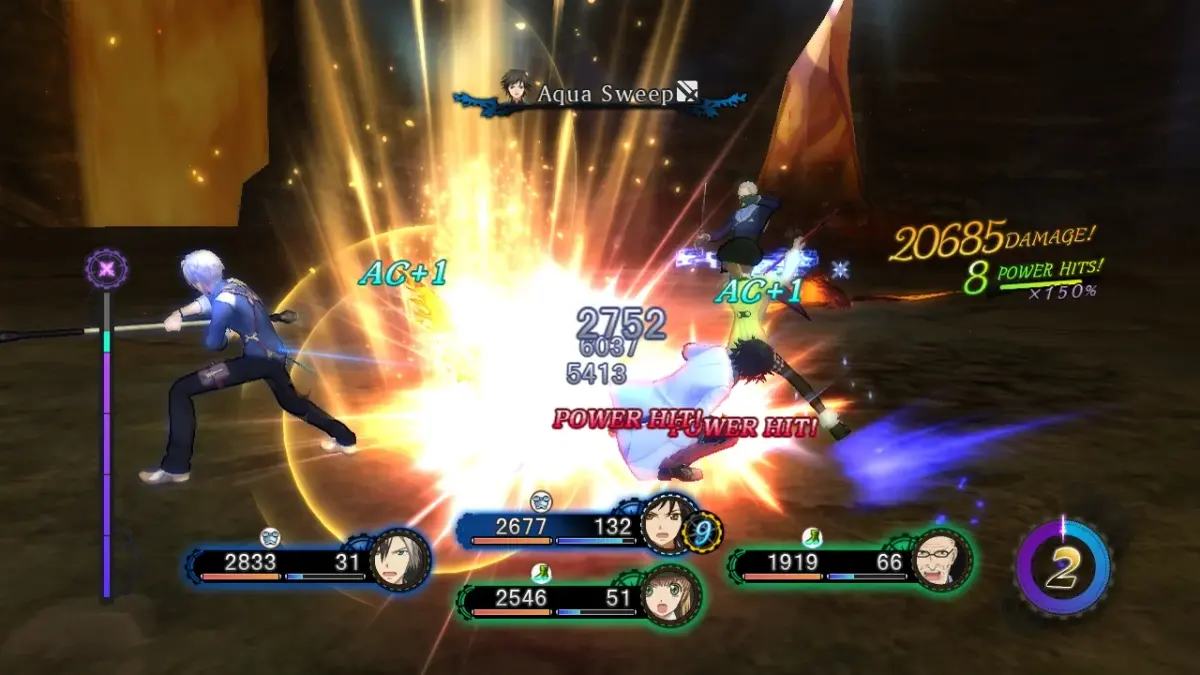
- Combat HUD: Displays HP, TP, arte gauges, enemy information, and character action order.
- Skill Tree/Lilium Orb: Visualize character growth and unlock new abilities.
- Map and Navigation: Understand your location, quest markers, and points of interest.
- Dialogue and Cutscenes: Follow the story with character portraits and text boxes.
Familiarizing yourself with these UI components will allow you to play Tales of Xillia 2 more effectively and enjoy the rich narrative and engaging combat.
100% Human-Written. AI Fact-Checked. Community Verified. Learn how AntMag verifies content