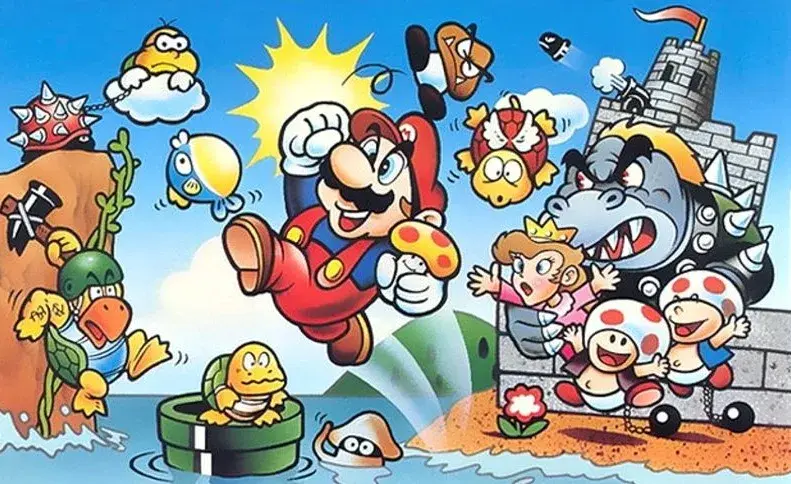
Learn about Super Mario Bros. enemies like Rocky Wrench and Fuzzy, plus how to use the Map Screen and Mushroom Houses.
Enemies:
Rats travel in packs and run away when you attack one of them.
Mecha-Koopa are mechanical koopas that walk along until you jump on them. You can then throw the mecha-koopa before it comes back to life and starts moving again.
Wiggler are yellow caterpillars with a flower on their head that walk back and forth. If you jump on one, then it loses its flower, turns bright red in colour and walks faster. Try to keep them happy if you can and give them some distance.
Swoopers are bats that lurk up high until you get close, then they swoop straight down and start flying across to you. As long as you keep an eye out for them, then you can avoid them pretty easily or bounce off of one to higher ground.
Rocky Wrench were introduced on the airships. They hide under a manhole (cover (press the cover button to crouch behind walls or objects)) until they're ready to throw a wrench at you. Your best bet is to jump on them once they lift the manhole off the ground a little and watch out for those flying wrenches!
Fuzzy are dark enemies with big eyes and teeth. They follow a track in mid-air and generally just get in your way. If you watch the track then you should know where they are going ahead of time. This way you can jump, duck or otherwise avoid them before it's too late.
Broozer are very aggressive and punch towards their target until they either hit their target or find a new one. You can use this to your advantage and get Broozers to punch through breakable blocks or bricks. Otherwise, you can jump on a Broozer three times to defeat it.
Crowber are crows that swoop down to your level and fly straight across. Usually they attack in groups, but watch out for them and plan your jumps ahead of time.
New Enemies:
Snow Brother shoot iceballs at you usually two at a time before pausing briefly. You want to jump over the iceballs and land on them before they throw some more. You can also use some fireballs or iceballs of your own to make things a bit easier.
Fog Enemy just stand in one spot and blow fog ahead in bursts to try and make it harder for you to see enemies, pits, platforms and other objects just in front of them.
Angler are slow fish that swim back and forth and light up dark sections of water. Try to keep them around so that you can see a bit better.
Jellyfish show light underneath them and hover in one spot. Once you swim under one, it sinks down towards you and slowly returns to its original height.
Basics:
Map Screen Basics
The Map screen is where you move your character(s) and decide which stage you want to play, or which mushroom house, shortcut or warp cannon you want to use. Each stage and shortcut on the map screen starts out as a flashing red circle once unlocked, otherwise it is black in colour. If you use the Super Guide to beat a stage, then it shows as solid red on the map screen. When you beat a stage without using the Super Guide, it shows as blue on the map screen. Every map has a fortress halfway and a castle at the very end. Each of these stages are guarded by a boss and you get to save your game after beating them. Some worlds also have an airship after the castle. You can see how many Star Coins you have found on each stage of a world by walking to it, or selecting Star Coins from the Plus menu to see a breakdown of all the Star Coins in the current world.
Mushroom Houses
In between the stages and shortcuts on the map of each world, there are three possible colours of mushroom houses: red, green and yellow. Each one lets you earn more lives or items.
Red Mushroom House - Power-up Panels
There are 18 cards spread out over three rows (6x3) in this minigame. There are seven possible items to win by matching them up in pairs. There are also four cards that can end this minigame if you match up the two bowser cards or the two bowser jr cards. They stay face up as you choose them.
Green Mushroom House - 1up Blast
For this minigame, you want to choose a cannon that can line up a shot through multiple targets above. Hop in a cannon and tilt the remote to aim carefully, then fire yourself at the numbered balls in order to earn that many extra lives. Try to angle your cannon so that you will hit more than one target if possible.
Yellow Mushroom House - Power Star
There's no minigame in these mushroom houses. Simply open the chest that's waiting for you and collect the Power Star inside.
Items
You can earn some items at the mushroom houses in between stages. These items get added to your collection. You can then use these items on the Map screen before you begin a stage to give you an advantage in that stage. Any item used in this way will affect all players in the multiplayer mode.
Saving
You can do a Quick Save at any point in the game which creates a temporary save on your file indicated with a balloon. As soon as you load this quick save the next time you play the game, it disappears! Which means that you HAVE to create another quick save before you quit playing the next time, or do a normal save instead. Quick saves are really to keep your progress temporarily, when you might not have the time to do a normal save. A normal save is done...
100% Human-Written. AI Fact-Checked. Community Verified. Learn how AntMag verifies content