
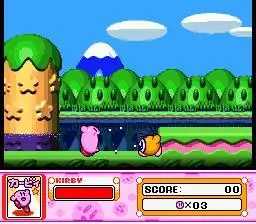
Learn how to move, jump, fly, inhale, spit, use abilities, create helpers, and block attacks in Kirby Super Star with this quick guide.
Hey there! So you're diving into Kirby Super Star Ultra, huh? Awesome choice! This game packs a ton of fun, and knowing your way around the controls is the first step to becoming a Kirby master. Think of this as your cheat sheet so you don't have to guess what button does what. Let's get you moving!
Controls:
- Control Pad: This is your main way to move Kirby around. Left, right, up, down – you know the drill!
- Start Button: This brings up the menu screen. Handy for pausing or checking your options.
- A/Y Button: Tap it once to jump. Hold it down, and Kirby will take to the skies for a nice, floaty flight. Super useful for reaching high places or dodging enemies.
- B Button: This is your multi-tool! Press it to inhale enemies or objects. If you've inhaled something, press B again to spit it out as a projectile. If Kirby has an ability, this button is used to activate its special attack.
- X Button: Got an ability? Press X to create a Helper! This friendly character will fight alongside you. You can also press X again to dismiss your Helper if you don't need them anymore.
- L/R Buttons: Need to play defense? Hold down either the L or R button to make Kirby block. It's a great way to defend against incoming attacks.
That's pretty much it! Get a feel for these, and you'll be zipping through Dream Land in no time. Happy gaming!
100% Human-Written. AI Fact-Checked. Community Verified. Learn how AntMag verifies content