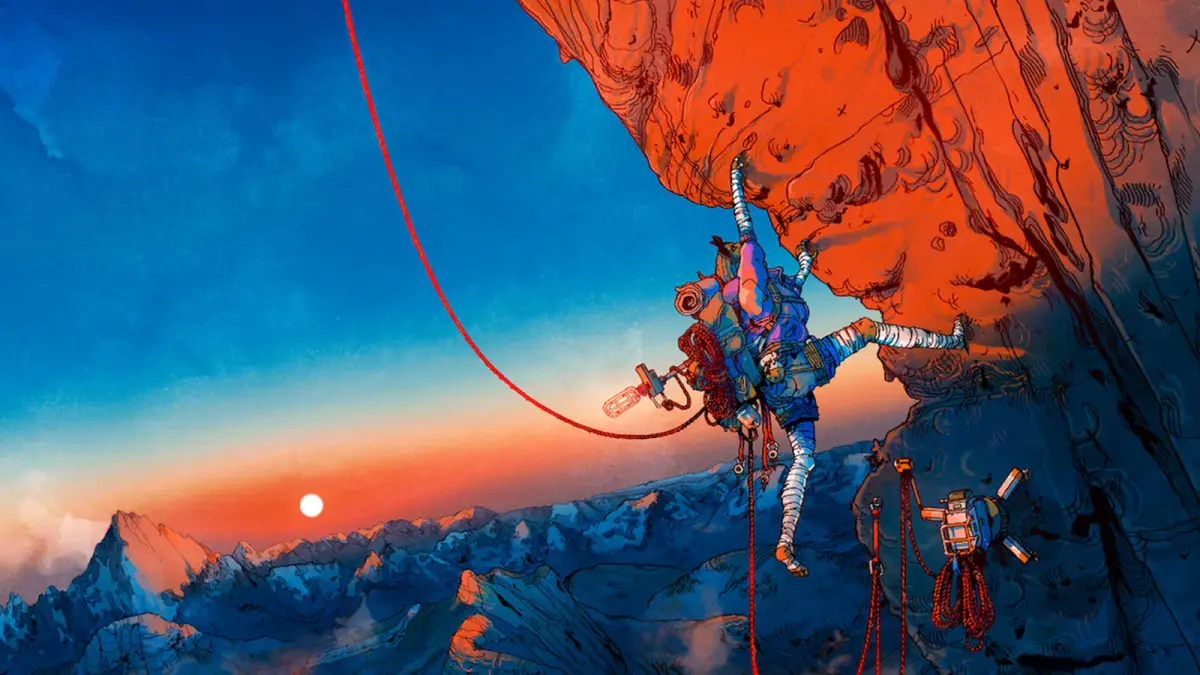
Welcome to Kami, a colossal mountain waiting to be conquered. In Cairn, you'll step into the boots of Aava, a seasoned climber tackling this unconquered peak. This isn't just about finding the quickest path up; it's a survival adventure where every ascent is a puzzle. You'll need to manage your resources—scavenging for food, water, and medical supplies—while planning safe routes and utilizing Aava's formidable climbing abilities to overcome environmental challenges.
This guide is your companion for the entire journey to Kami's summit. We'll cover the complete walkthrough from start to finish, ensuring you don't miss any of the missable Achievements and Trophies. We'll also pinpoint the locations of all Keepsakes and hidden Recipes, and help you find all the gear upgrades, so you can experience Cairn to its fullest and achieve that satisfying 100% completion.
Getting Started
Embark on a thrilling ascent in Cairn! This comprehensive guide covers everything from basic climbing to survival, helping you conquer Kami's summit and find all secrets.
Getting Started
Embark on a thrilling ascent in Cairn! This comprehensive guide covers everything from basic climbing to survival, helping you conquer Kami's summit and find all secrets.

Game Installation & Setup
Install Cairn on PS5 or PC. Follow our setup guide for a smooth start, ensuring all patches are ready for Aava's ascent of Kami.
Game Installation & Setup
Install Cairn on PS5 or PC. Follow our setup guide for a smooth start, ensuring all patches are ready for Aava's ascent of Kami.
PC System Requirements
Learn the PC system requirements for Cairn. Prepare your rig to handle the climbing mechanics and survival challenges on Kami.
The developers of Cairn, The Game Bakers, have yet to release the official PC system requirements. However, based on the game's focus on realistic climbing and open exploration, it is anticipated that the game will demand a moderately powerful system to deliver an optimal experience. ideally aim to meet or exceed the recommended specifications to fully appreciate the visual fidelity and smooth performance required for navigating the challenging terrain of Kami. This includes ensuring your graphics card is capable of handling detailed environmental rendering and that your processor can manage the game's physics and survival mechanics without significant stuttering. Keeping drivers updated for your graphics card and other core components is a standard practice that can often resolve performance bottlenecks.
While specific details are pending, it is reasonable to expect that Cairn will require a modern operating system, such as Windows 10 or 11. Storage space will also be a factor; games with detailed environments and survival elements often require a substantial amount of disk space. Therefore, ensuring you have ample free space on your hard drive or, preferably, an SSD is crucial for installation and smooth operation. An SSD is particularly important for open-world or exploration-heavy games as it significantly reduces loading times between areas, allowing for a more seamless experience as Aava traverses the mountain. The game's reliance on realistic climbing mechanics may also necessitate a stable frame rate, which is directly tied to the CPU and GPU performance.
Players looking to maximize their experience with Cairn on PC should pay close attention to the official announcements regarding system requirements. These will typically be published on the game's store page (e.g., Steam) and the developer's website. Meeting the minimum requirements will allow the game to run, but the recommended specifications are what aim for to enjoy features like higher graphical settings, smoother frame rates, and reduced input lag, which can be critical in a game where precise movements are paramount. The game's survival aspects, such as managing Aava's resources like food and water, also rely on a responsive system to ensure timely reactions to in-game events. Until official specs are released, it's prudent to ensure your PC is equipped with a capable mid-range to high-end graphics card and a modern multi-core processor.
PS5 Installation Guide
Guide to installing Cairn on your PlayStation 5. Get Aava ready for her climb up Kami with this step-by-step installation process.
Installing Cairn on your PlayStation 5 is a straightforward process designed for ease of use. If you have purchased a physical copy of the game, simply insert the Blu-ray disc into your PS5 console. The console will automatically detect the disc and initiate the installation process. You will see the game's icon appear on your PS5's main dashboard. Once the installation begins, a progress bar will typically be displayed, indicating how much of the game has been installed. It is recommended to have a stable internet connection active, as the PS5 will often download the latest patches and updates for the game immediately after the initial installation from the disc is complete. This ensures you are playing the most current and stable version of the game.
For those who have purchased Cairn digitally through the PlayStation Store, the installation process is initiated directly from your console's library. Navigate to your game library, find Cairn, and select the download option. The game will then begin downloading and installing automatically. The PS5's user interface will clearly display the download and installation progress. Ensure your console is connected to the internet and has sufficient free storage space. The game's file size will be displayed before you begin the download, allowing you to confirm you have adequate space. It is always a good practice to check your console's storage capacity beforehand to avoid any interruptions during the download and installation.
After the initial installation from disc or digital download is complete, your PS5 will likely prompt you to download additional updates. These updates are crucial for addressing any bugs, improving performance, and potentially adding new features or content that may have been released post-launch. It is highly recommended to allow these updates to download and install fully before launching the game for the first time. This ensures that Aava's journey up Kami is as smooth and bug-free as possible. Once all installations and updates are finished, the Cairn game icon on your dashboard will be ready to launch, signaling that you are prepared to begin your survival climbing adventure. Ensure your PS5 is set to download updates automatically in the background to always have the latest version.
100% Human-Written. AI Fact-Checked. Community Verified. Learn how AntMag verifies content