
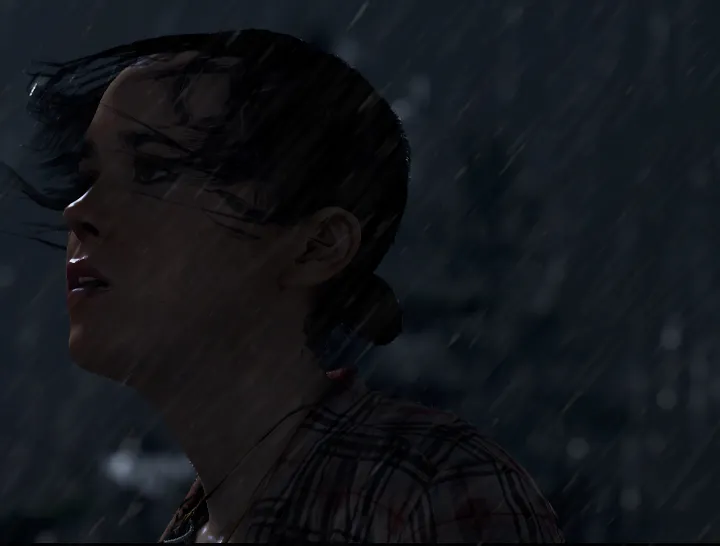
Master the difficulty settings in Beyond: Two Souls. This guide details how precision and timing impact your experience with interactive elements for tailored .
Beyond: Two Souls offers a unique approach to difficulty, focusing less on traditional combat challenges and more on the timing and precision of its interactive elements. Understanding these settings is crucial for tailoring your experience, whether you're a seasoned gamer or new to interactive dramas. This guide will meticulously detail each option, ensuring you can craft the perfect journey through Jodie Holmes' extraordinary life.
Accessing Difficulty Options
Adjusting your difficulty settings is straightforward and flexible, allowing you to adapt your experience at almost any point in the game:
- From the Main Menu: Upon launching the game, navigate to the "Options" selection.
- Within Gameplay Settings: Inside the "Options" menu, select "Gameplay." Here, you will find the primary difficulty presets and related customization options.
- During Playthrough: You are not locked into a difficulty setting. At any point during a chapter, you can pause the game (typically by pressing the 'Options' button on PlayStation or 'Esc' on PC) and access the "Options" menu to make adjustments. This flexibility is particularly useful if you find a specific sequence too challenging or too easy.
Understanding the Core Difficulty Mechanics
Unlike traditional RPGs or action games, Beyond: Two Souls does not feature health bars, enemy levels, or complex combat systems in the conventional sense. Instead, difficulty primarily impacts the responsiveness and timing required for Quick Time Events (QTEs) and contextual actions. Failure in these sequences doesn't always lead to an immediate "Game Over" screen. Instead, it can significantly alter the narrative path, influence character relationships, affect Jodie's physical and emotional well-being, and even lead to different chapter outcomes or endings. This narrative-driven consequence system is central to the game's design.
Difficulty Presets: Tailoring Your Experience
The game offers two primary difficulty presets, each designed to cater to different player preferences and skill levels. These presets adjust a range of underlying parameters simultaneously.
- Interactive Drama (Easy): This setting is meticulously crafted for players who prioritize story immersion and emotional engagement over demanding mechanical challenges. It's ideal for those new to interactive dramas or who simply wish to experience Jodie's journey with minimal frustration.
- QTE Window: Significantly extended. Players will have ample time to react to on-screen prompts, whether they are directional swipes (e.g., pushing the analog stick in a specific direction) or button presses (e.g., 'X', 'Square', 'Triangle', 'Circle' on PlayStation, or corresponding keyboard inputs on PC). This forgiving timing reduces the likelihood of failure during intense sequences.
- Contextual Actions: Prompts for actions such as "Grab," "Open," "Hide," or "Interact" will remain visible for longer durations. The required input for these actions will also be more forgiving, allowing for slight delays in execution.
- Aiden's Abilities: When controlling Aiden, Jodie's spiritual link, actions like possessing enemies, interacting with objects, or creating distractions will have a wider margin for error in aiming and execution. For example, the precise angle for possessing an NPC might be broader, or the window for successfully manipulating an object will be longer.
- Narrative Impact of Failure: While failure is still technically possible, it's less likely to result in immediate negative consequences or significant plot deviations. This mode prioritizes experiencing the full narrative flow, ensuring You can progress through the story without feeling unduly punished by missed prompts. It minimizes the risk of Jodie sustaining severe injuries or missing critical story beats due to QTE failures.
- Visual Cues: Expect more prominent and persistent visual cues for interactive elements, making them easier to spot and react to.
- Action-Adventure (Normal): This is the recommended setting for players familiar with interactive games, action titles, or those who seek a balanced challenge where their reflexes and decision-making have a more tangible impact on the unfolding narrative.
- QTE Window: Standard timing. Reactions need to be swift and accurate. The window for inputting directional swipes or button presses is tighter compared to "Interactive Drama." This requires players to be more attentive and responsive, especially during high-stakes sequences like the "Homeless" chapter's intense chase through the streets, the "Navajo" chapter's spiritual encounters and combat, or the various stealth sections.
- Contextual Actions: Prompts for interactive elements appear for a moderate duration. Players must react promptly to perform actions like opening doors, picking up items, or engaging in environmental interactions. Hesitation can lead to missed opportunities or altered outcomes.
- Aiden's Abilities: Precision is more important when using Aiden. Misjudging a possession, failing to interact with an object correctly, or making an error during a distraction sequence can lead to missed opportunities, alert enemies, or even result in Jodie sustaining harm. The aiming and timing for Aiden's powers require more deliberate control.
- Narrative Impact of Failure: Failures in this mode can have noticeable and often immediate consequences. Missing a QTE during a fight might result in Jodie taking damage, being captured, or failing to protect an NPC. These failures can lead to different dialogue options, altered character states (e.g., Jodie being injured, affecting her movement or future interactions), or significant plot deviations that influence subsequent chapters and the ultimate ending. This mode emphasizes the weight of player choices and reactions.
- Visual Cues: Visual cues for interactive elements are present but may be less persistent or prominent, requiring players to actively scan the environment for opportunities.
Advanced Customization: Granular Accessibility Options
Beyond the two primary presets, Beyond: Two Souls provides granular control over specific interactive elements through its "Accessibility" sub-menu, found under "Options." These settings are invaluable for fine-tuning your experience, addressing specific accessibility needs, or simply adjusting individual mechanics to your preference without changing the overall preset.
To access these options:
- From the Main Menu or In-Game Pause Menu, navigate to "Options."
- Select "Accessibility."
Within the "Accessibility" menu, you will find the following crucial settings:
- QTE Assist: This is a powerful option for players who find Quick Time Events particularly challenging, regardless of the chosen difficulty preset.
- On: Activating QTE Assist significantly simplifies QTEs. This can manifest in several ways: reducing the number of required inputs (e.g., a multi-directional swipe might become a single button press), extending the reaction window even further than the "Interactive Drama" difficulty, or even automatically succeeding certain non-critical QTEs. This setting is highly recommended for players who struggle with rapid button presses, complex directional swipes, or have motor control difficulties.
- Off: When QTE Assist is off, players are required to execute all QTE prompts precisely and timely, as designed for the chosen difficulty preset (Interactive Drama or Action-Adventure). This provides the full, unassisted challenge of the game's interactive sequences.
- Aiden Control Sensitivity: This setting directly impacts the responsiveness of Aiden's movements and interactions.
- Low: Aiden will respond more slowly and deliberately to your analog stick inputs. This can be beneficial for players who prefer precise, controlled movements, especially when navigating tight spaces, aiming Aiden's powers (like possession or interaction), or when fine-tuning the position for a specific action. It reduces the chance of overshooting targets.
- Normal: This is the default sensitivity, offering a balanced response rate that should suit most players.
- High: Aiden will respond very quickly and fluidly to your analog stick inputs. This is for players who prefer rapid movements and quick adjustments, allowing for swift traversal and immediate reactions during dynamic sequences. However, it can make precise aiming more challenging for some.
- Vibration Feedback: While not directly a difficulty setting in terms of QTE timing, controller vibration often serves as an important tactile cue.
- On: The controller will vibrate to indicate various in-game events, such as incoming QTEs, critical moments in the narrative, environmental interactions, or when Jodie takes damage. This tactile feedback can help players anticipate actions and react more effectively.
- Off: Disabling vibration removes these tactile cues. For some players, this might subtly increase the challenge by removing an additional sensory prompt that aids in reaction time. For others, it might be a preference for comfort or to conserve controller battery life.
- Subtitles: While primarily an accessibility feature for hearing-impaired players or those who prefer reading dialogue, subtitles can also indirectly affect comprehension and engagement, which can influence how players react to narrative-driven QTEs.
- On/Off: Toggle subtitles for all dialogue and important on-screen text.
Strategic Difficulty Selection and Replayability
Choosing the right difficulty setting can significantly shape your experience with Beyond: Two Souls. Consider the following when making your selection:
- First Playthrough:
- For a pure, uninterrupted narrative experience where the story and emotional impact are paramount, "Interactive Drama" is an excellent choice. It allows you to fully immerse yourself without the pressure of demanding mechanics.
- If you enjoy a moderate challenge, want your choices and reactions to feel more impactful, and are comfortable with interactive game mechanics, "Action-Adventure" is a solid and rewarding choice. It provides a balanced blend of story and gameplay challenge.
- Trophy Hunting/Collectibles: the chosen difficulty setting does NOT affect trophy acquisition or the discovery of "Bonus Content" items (collectibles). If your primary goal is to unlock all trophies or find every piece of bonus material, feel free to play on "Interactive Drama" to minimize stress and focus solely on exploration and specific trophy conditions. No trophies are difficulty-locked.
- Replayability: Beyond: Two Souls is designed with replayability in mind, and difficulty can play a role in this.
- Playing on a higher difficulty for a second playthrough can reveal new narrative branches, consequences, or character interactions that you might have missed when the game was more forgiving. The increased challenge can lead to different outcomes in critical junctures, offering a fresh perspective on Jodie's journey.
- Conversely, if your first playthrough was on "Action-Adventure" and you found certain parts frustrating, a second playthrough on "Interactive Drama" can allow you to relax and appreciate the story beats you might have rushed through previously.
- Experimentation: Don't be afraid to experiment! The ability to change difficulty settings mid-game means you can always adjust if a particular chapter feels too easy or too hard. For example, if you're struggling with a specific combat sequence, you can temporarily switch to "Interactive Drama" or enable "QTE Assist" to get past it, then revert to your preferred settings.
By understanding and using these detailed difficulty and accessibility options, you can ensure your journey through the complex and emotional world of Beyond: Two Souls is perfectly tailored to your preferences, maximizing your enjoyment and immersion.
100% Human-Written. AI Fact-Checked. Community Verified. Learn how AntMag verifies content