
Navigate the urgent Final Approach to ODIN in Tacoma. Learn how to reach the AI Core and experience the game's powerful narrative climax.
As you leave the Bio-Lab behind, the atmosphere aboard Tacoma shifts dramatically. The path to the AI Core, ODIN's central processing unit, becomes more direct, yet imbued with a palpable sense of urgency and impending conclusion. This final stretch is less about complex environmental puzzles and more about navigating a heightened narrative climax, culminating in your direct interaction with ODIN.
Navigating the AI Core Access Corridor
Upon exiting the Bio-Lab, you will enter a short, well-lit corridor that leads directly to the AI Core access point. ODIN's presence will become significantly more pronounced here, with its voice echoing through the comms, offering guidance and, at times, expressing its own anxieties or observations about the unfolding situation. Pay close attention to these dialogues; they often contain subtle clues or reinforce the narrative themes.
Key Objectives:
- Bypass the final security lockdown.
- Access the AI Core chamber.
- Initiate ODIN's module extraction sequence.
Overcoming the Final Security Checkpoint
The immediate challenge before reaching ODIN's core chamber is a robust security lockdown. Unlike previous areas, this isn't about finding a keycard or solving a complex environmental puzzle. Instead, it relies on a specific sequence of actions tied to the station's emergency protocols and ODIN's own system architecture.
Step-by-Step Walkthrough:
- Locate the AI Core Access Panel: Directly ahead of you, at the end of the corridor, will be a large, circular bulkhead with a prominent access panel to its right. Interact with this panel.
- Initial Lockdown Status: The panel will display a "System Lockdown: AI Core Access Denied" message. ODIN will then communicate, explaining that the lockdown is a failsafe, triggered by the station's critical state, and requires a manual override sequence.
- Access ODIN's Diagnostic Interface: ODIN will grant you temporary, elevated access to a specific diagnostic interface within your AR desktop. Open your AR desktop and look for a new icon labeled "ODIN Core Diagnostics."
- Initiate Protocol Override Sequence: Within the "ODIN Core Diagnostics" interface, you will find three distinct sub-protocols that need to be activated in a specific order to disengage the lockdown. The correct sequence is often hinted at through ODIN's dialogue or by observing the visual cues on the diagnostic interface itself (e.g., protocols highlighted in green or with an "active" status).
- Protocol 1: Emergency Power Reroute - Activates auxiliary power to the core access mechanisms.
- Protocol 2: Environmental Seal Override - Disengages the atmospheric pressure seals.
- Protocol 3: Core Access Authorization - Final unlock command, requiring a brief system handshake.
- Confirm Access: Once all three protocols are successfully activated in sequence, the bulkhead will slowly retract, revealing the AI Core chamber.
Inside the AI Core Chamber
The AI Core chamber is the heart of Tacoma, a vast, circular space dominated by ODIN's physical manifestation – a complex array of glowing conduits and data processors. The air here is thick with the weight of the station's history and the culmination of the crew's story.
Emotional Impact of Final AR Recordings:
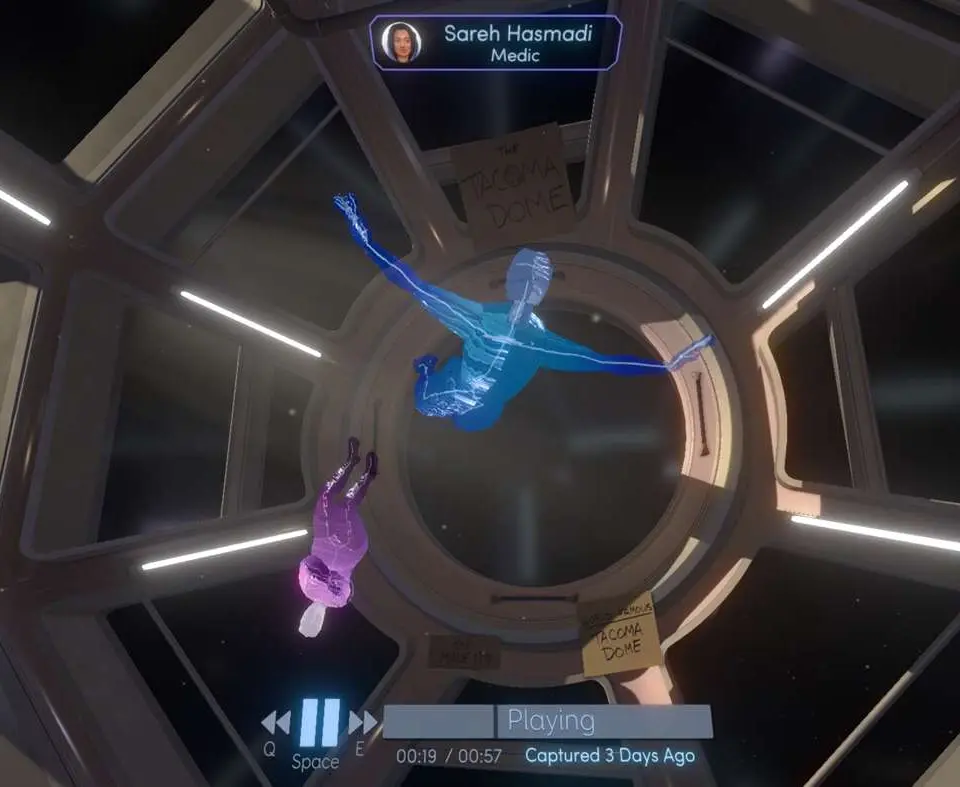
This chamber contains the most poignant and narratively critical AR recordings in the entire game. As you move towards the central console where ODIN's module is housed, several AR events will trigger automatically. These recordings depict the crew's final, desperate moments, their heartfelt goodbyes, and their ultimate decision regarding ODIN's fate. The emotional resonance here is profound:
- You will witness the crew's raw vulnerability, their fear, and their unwavering loyalty to each other.
- The recordings explicitly detail their final interactions with ODIN, revealing the depth of their relationship with the AI and the difficult choices they faced.
- Pay close attention to the individual crew members' expressions and dialogue. Each character's personality shines through in these final moments, bringing their journey to a powerful close.
- The recordings provide the definitive answers to many lingering questions about the crew's departure and ODIN's role in the events.
Strategy Tip: Take your time with these recordings. Unlike previous areas, there's no rush here. Allow yourself to fully absorb the narrative and emotional weight. Rewind and re-watch segments if necessary to catch all the nuances. This is the narrative payoff for your entire journey.
Initiating ODIN's Module Extraction
At the center of the AI Core chamber is a console directly connected to ODIN's core. This is where you will perform the final task.
Step-by-Step Extraction:
- Approach the Central Console: Walk towards the glowing central console. A prompt will appear to interact with it.
- Access Extraction Interface: Interacting with the console will bring up a specialized interface on your AR desktop, specifically designed for AI module extraction.
- Confirm Extraction Parameters: The interface will display a summary of ODIN's data, its current status, and the parameters for extraction. ODIN will communicate directly with you through this interface, acknowledging its impending transfer.
- Initiate Extraction Sequence: Select the "Initiate Module Extraction" option. This will trigger a short, automated sequence where the module is prepared for transfer. Visual effects around the core will indicate the process is underway.
- Retrieve ODIN's Module: Once the sequence is complete, a physical module will be ejected from the console. Pick it up. This is the culmination of your mission.
With ODIN's module in hand, your primary objective is complete. The game will then transition to its final sequences, focusing on your departure from Tacoma and the implications of your actions.
100% Human-Written. AI Fact-Checked. Community Verified. Learn how AntMag verifies content