
Investigate Tacoma's Bio-Lab. Access it using Natali's AR recordings, adjust environmental controls, and uncover research data.
The Bio-Lab is a crucial sector on your journey to the AI Core, presenting unique environmental challenges and narrative insights. This area is characterized by its botanical experiments and sophisticated environmental controls, often requiring specific interaction to progress. Your primary objective here is to understand the crew's activities, particularly those of the botanist, Natali Kuroshenko, and to navigate the lab's security and environmental systems.
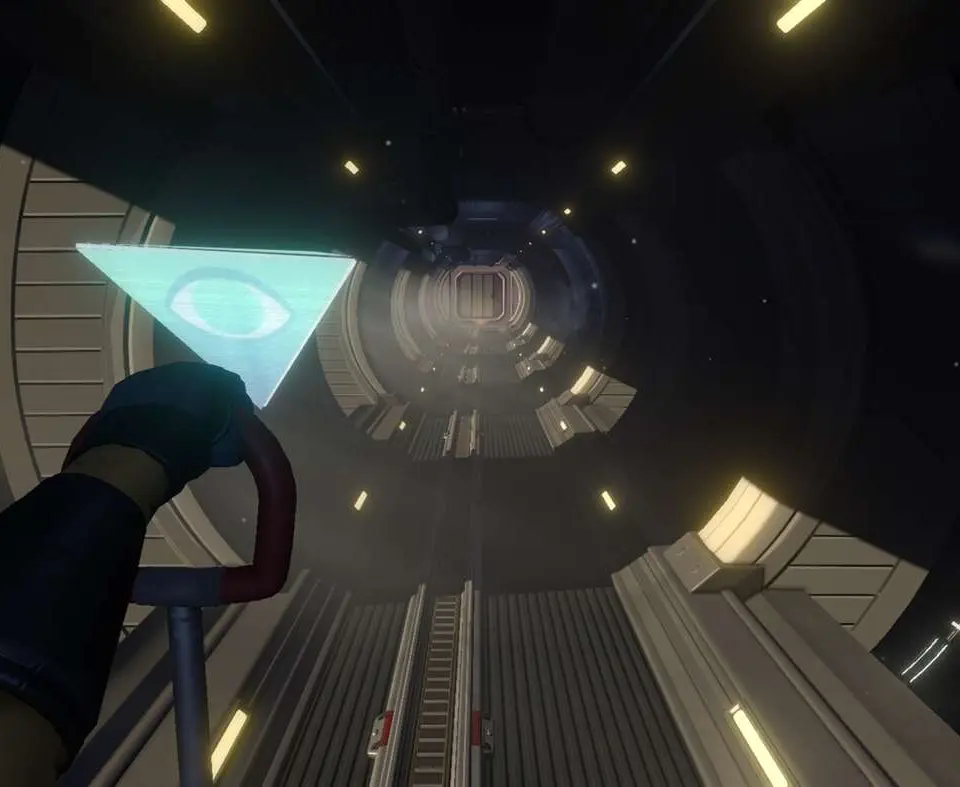
Navigating Environmental Hazards and Security Protocols
The Bio-Lab is designed with several layers of environmental control and security. Unlike other sections focused on data access, here you'll encounter systems directly impacting the physical environment. These can range from atmospheric regulators to biological containment locks, all designed to protect the delicate experiments within or to restrict access.
- Atmospheric Controls: You may encounter sections of the Bio-Lab with altered atmospheric compositions or pressure. For instance, early in the Bio-Lab, you might find a room designated for "Xenobotanical Growth" that is sealed due to a simulated Martian atmosphere. To access these areas, you'll typically need to locate a nearby control panel. These panels are often interactive AR displays, highlighted in blue when you approach them. Look for options like "Atmospheric Regulation," "Pressure Equalization," or "Ventilation Override." Interacting with these will usually initiate a short sequence to normalize the environment, allowing safe passage.
- Biological Containment Locks: These are specialized security measures designed to prevent the spread of biological material. They often manifest as reinforced doors with a distinct red or yellow indicator light. To bypass a biological containment lock, you'll generally need to find an associated control terminal. These terminals might require a specific authorization code (often found in AR recordings or personal logs of crew members like Natali Kuroshenko) or a sequence of actions, such as isolating a specific section of the lab or rerouting power. For example, a lock might require you to first "Purge Contaminants" from an adjacent chamber before it will disengage.
- Identifying Controls: Environmental controls and containment locks are consistently indicated by interactive AR elements. Keep an eye out for glowing blue outlines around panels, consoles, and door mechanisms. When you approach them, a prompt to interact (e.g., "Press E to Interact" on PC) will appear. Often, the AR overlay will display the function of the control (e.g., "Atmospheric Control Panel," "Containment Lock Override").
Step-by-Step Bio-Lab Walkthrough
- Initial Entry and Orientation: Upon entering the Bio-Lab, your first objective is often to restore basic functionality or gain access to the main research areas. Follow the main corridor. You'll likely encounter your first AR recording involving Natali Kuroshenko near the entrance, discussing the integrity of the plant samples.
- Accessing the Xenobotanical Growth Chamber:
- Problem: The Xenobotanical Growth Chamber, located to the left of the main Bio-Lab entrance, is sealed due to an active "Martian Atmosphere Simulation."
- Solution: Locate the "Atmospheric Control Panel" directly outside the chamber door. Interact with it. You'll see options for "Atmosphere Cycle" and "Pressure Equalization." Select "Pressure Equalization" to normalize the environment. This will take a few seconds, indicated by a progress bar on the AR display.
- Inside: Once inside, observe the unique plant life. Look for AR recordings of Natali detailing her experiments with extraterrestrial flora. You might find a data log on a nearby console providing context on the growth conditions.
- Investigating the Hydroponics Bay:
- Problem: The Hydroponics Bay, crucial for the crew's food supply, might be experiencing a "Bio-Contaminant Alert," sealing off a section.
- Solution: Head to the central Bio-Lab control station. Here, you'll find a larger console with a "Bio-Containment System" interface. An AR recording of Natali and possibly Sareh Hekmat (the AI specialist) might play, discussing the containment breach. You'll need to initiate a "System Purge" for the Hydroponics Bay. This often requires confirmation from a specific crew member's AR recording or finding a password within a nearby personal terminal. For example, Natali's personal terminal (found in her living quarters, accessible later) might contain a note about the purge protocol.
- Inside: Once the bay is accessible, explore the various plant beds. Pay close attention to AR recordings here, as they often reveal the crew's attempts to sustain themselves, their struggles with resource management, and Natali's dedication to her work.
- Unlocking Natali's Private Research Lab:
- Problem: Natali's private research lab, often containing critical data on the station's biological anomalies, is secured by a "Level 3 Biological Lock."
- Solution: This lock typically requires a specific authorization sequence or a keycard. Look for clues within Natali's AR recordings. She might mention a specific sequence of actions, or a conversation with another crew member might reveal a bypass. For instance, an AR recording of Natali talking to Andrew Dagyab (the station's operations specialist) might hint at a manual override located in the adjacent "Specimen Analysis" room. You might need to activate a specific sequence of lights or interact with a series of terminals in the correct order to disengage the lock.
- Inside: This lab is usually rich with narrative content. Expect to find detailed data logs, personal notes, and AR recordings that delve deeper into the nature of the station's biological research and its potential implications.
Key AR Recordings and Narrative Insights
The Bio-Lab is Natali Kuroshenko's domain, and her AR recordings are paramount to understanding this section. Pay close attention to:
- Natali's Research: Her recordings will detail her experiments with various plant species, including those from Earth and potential extraterrestrial samples. These often touch upon themes of sustainability, adaptation, and the ethical implications of genetic manipulation.
- Crew Interactions: You'll see Natali interacting with other crew members, particularly Sareh Hekmat regarding AI integration with biological systems, and Andrew Dagyab concerning resource allocation and environmental control. These interactions often provide clues for bypassing security or environmental challenges.
- Personal Struggles: Natali's recordings also reveal her personal struggles and dedication, offering a deeper insight into her character and the pressures faced by the Tacoma crew.
Common Pitfalls and Missables
- Overlooking Subtle Clues: Many solutions to Bio-Lab puzzles are embedded within the AR recordings themselves. If you're stuck, re-watch relevant recordings, paying close attention to dialogue and environmental interactions within the recording.
- Not Exploring Thoroughly: The Bio-Lab can be intricate. Don't rush through. Hidden data logs, personal terminals, and small AR fragments often contain crucial information or unlock deeper narrative layers.
- Ignoring Environmental Feedback: The game often provides visual and auditory cues for environmental hazards or active security protocols. Red flashing lights, warning sirens, or AR overlays indicating "Hazardous Atmosphere" are not just cosmetic; they signal an interactive element or a barrier to progression.
By carefully observing the environment, interacting with all available AR elements, and piecing together Natali's story through her recordings, you will successfully navigate the Bio-Lab and uncover its secrets, bringing you closer to the heart of the Tacoma station's mystery.
100% Human-Written. AI Fact-Checked. Community Verified. Learn how AntMag verifies content