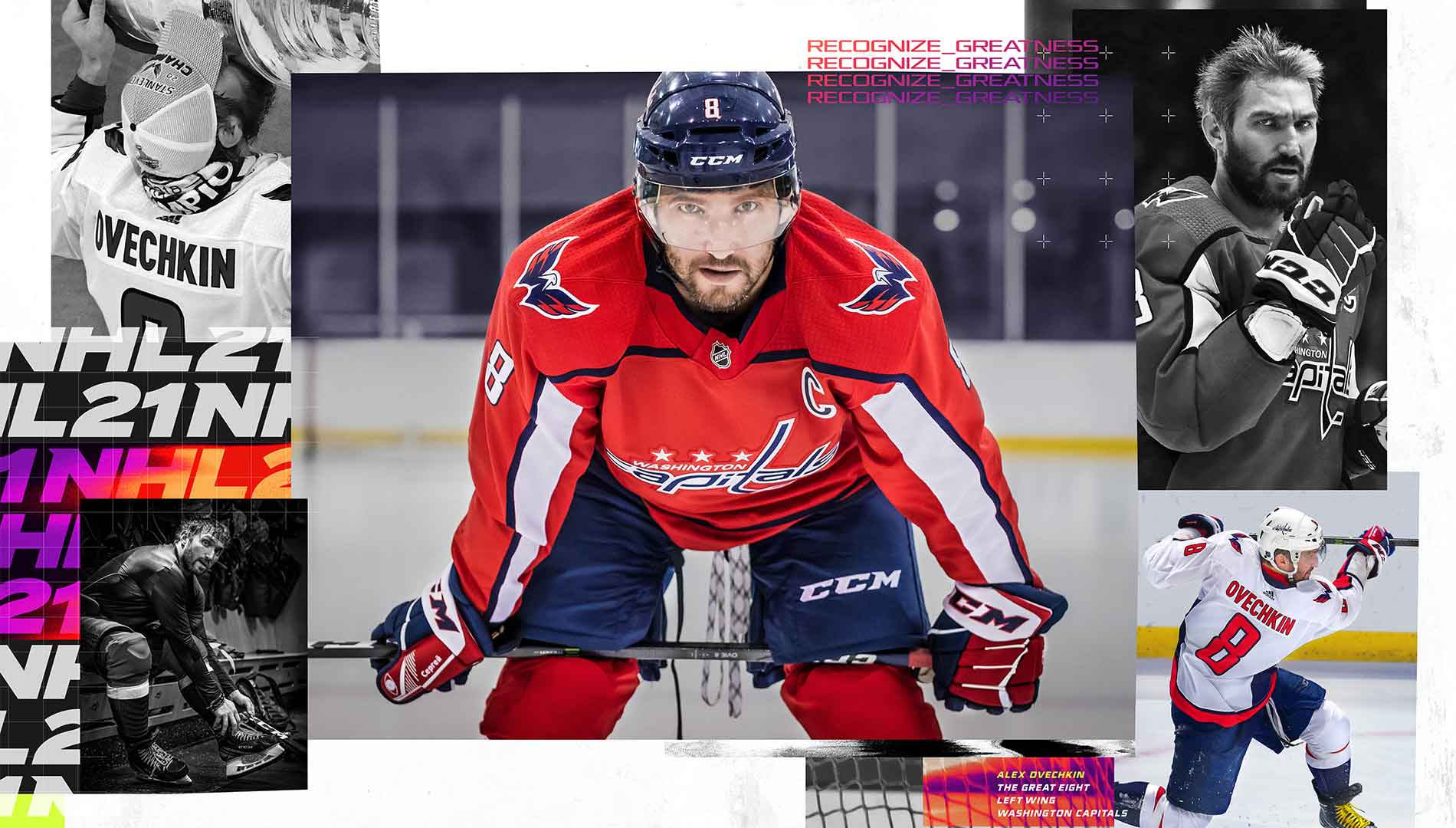
NHL 27 is the latest installment in Electronic Arts' popular hockey simulation series, offering both offline and online multiplayer action for up to 12 players. Whether you're playing with friends on the couch or competing against rivals worldwide, NHL 27 delivers the fast-paced excitement of professional hockey.
This guide dives deep into the game, helping you master every aspect. We'll cover everything from understanding the controls and team rosters to uncovering hidden secrets and collecting all the in-game cards. If you're struggling with the 'Be a Pro' mode, especially the frustrating coach feedback system for goalies, or just want to optimize your gameplay, this guide has the tips and tricks you need to dominate the ice.
Part 1
Welcome to NHL 27! This guide will walk you through the basics of the game, from setting up your team to your first few games. Let's hit the ice!
NHL 27: Your First Steps on the Ice
Hey there, future hockey legend! So, you've just booted up NHL 27 and you're ready to make your mark on the ice. Awesome! This guide is here to help you get your bearings, kind of like a friendly coach showing you the ropes before the big game.
We'll cover everything you need to know to get started, from understanding the game modes to making your first few plays. Don't worry, we'll take it step-by-step. No need to feel overwhelmed; we're all learning together!
Getting Started
First things first, let's make sure you're set up for success. When you first start NHL 27, you'll likely be prompted to create your player or team. Take your time here! This is your chance to really personalize your experience. Think about the kind of player you want to be – a speedy winger, a solid defenseman, or a powerhouse center. The choices you make now can shape your journey.
Understanding the Game Modes
NHL 27 offers a few different ways to play. You've got your classic Exhibition Mode for quick games, Franchise Mode where you manage a whole team over multiple seasons, and Be A Pro, where you focus on developing a single player. For beginners, I usually recommend starting with a few exhibition games to get a feel for the controls and gameplay. Once you're comfortable, you can dive into the deeper modes.
Your First Game
When you jump into your first game, focus on the basics. Don't worry about fancy dekes or complex strategies just yet. Your main goals are:
- Skating: Get a feel for how your player moves. Use the left analog stick to skate and the right analog stick to perform some basic stickhandling.
- Passing: Learn how to pass the puck to your teammates. A simple pass (usually the 'A' button on Xbox or 'X' on PlayStation) can be your best friend.
- Shooting: Aim for the net! Don't be afraid to take shots, but try to get a decent angle first.
- Defense: Keep an eye on the opposing players and try to block their shots or intercept passes.
Remember, it's okay to make mistakes. Every great player started somewhere! Just focus on learning from each play.
Pro Tip: Controls
The controls can seem a bit daunting at first, but they become second nature with practice. Take a look at the in-game control settings. You can often customize them to what feels most comfortable for you. Don't be afraid to experiment!
We'll cover more advanced techniques and strategies in the next part of the guide. For now, just enjoy getting a feel for the game. See you on the ice!
Part 2
Master NHL 27's racing rules, including flag meanings (Green, Yellow, White, Checkered) and pit stop procedures for fuel, tires, and repairs. Learn about standings and bonus points.
This section covers the essential rules and mechanics of NASCAR racing within NHL 27, including flag signals, pit stop procedures, and how race standings are calculated.
Flags:
- Green Flag: Indicates the track is clear and racing can proceed at full speed (up to 190 MPH).
- Yellow Flag: Signals caution due to debris or a wreck. Passing is not allowed. This flag is not thrown in the Featherlite Series.
- White Flag: Flies when the leader has one lap remaining. It's the final opportunity to gain positions. Be cautious if leading, as other drivers will make a last-ditch effort to pass.
- Checkered Flag: Signifies the end of the race for the leader upon crossing the start/finish line.
Pit Stops:
Pit stops are not allowed during Featherlite races. To pit, turn left onto the apron coming out of turn four and slow to 70 MPH or less to avoid a five-second penalty. Options include adding fuel (half or full tank), changing tires (left or right), repairing damage, making wedge adjustments, or changing tire pressure. Choose only necessary options to minimize time off track.
Pitting under caution is advisable when fuel is low, tires are worn, or damage is sustained, as there's less time pressure. However, be aware that cars not pitting will be placed ahead of you, requiring you to pass them after the green flag returns.
Standings:
Race standings are primarily determined by finishing position. Points are awarded as follows:
- 1st Place: 180 points
- 2nd Place: 175 points
- Points decrease by 5 until 6th place (155 points).
- Points decrease by 4 from 7th place onwards until 11th place (135 points).
- Points decrease by 3 until the last place driver (34 points in a Nextel race).
Bonus Points:
- Leading a lap earns 5 bonus points per driver.
- Leading the most laps earns an additional 5 bonus points (total of 10).
- A driver who leads the most laps and wins earns 190 points.
Nextel Cup Chase for the Cup:
With ten races remaining, point totals are reset for the top 10 drivers (or those within 400 points of the leader). The first driver starts with 5050 points, the second with 5045, and so on, with the last eligible driver starting with 5505 points if ten drivers qualify. These drivers compete over the final ten races for the championship.
Part 3
Guide to starting your career in NHL 27, including driver setup, difficulty selection, race events, car setup, qualifying, and race strategy for Featherlite races.
- 1Starting Your Career: Create your driver by naming them, setting their age and hometown, and choosing a racing team. Select from three body types, ten heads, and twenty unique faces. Then, choose your difficulty: Normal (newcomers), Advanced (experienced players), Extreme (experts), or Custom (adjustable in settings). After setup, Ace Moneymaker offers you a one-year contract with the #192 Featherlite Dodge.
- 2Select Event Menu: From the Fight to the Top Menu, choose "Select Event" to enter your first race. Ace will inform you about potential scheduling conflicts if you sign with multiple series. Currently, you'll only have a Featherlite Modified Car for the Railway 150.
- 3Featherlite Race Menu: Options include practice, qualify, happy hour, start race, car setup, and quit.
- 4Car Setup: Adjust your car's setup to your preference.
- 5Practice: Drive around Red Ball Raceway to test your setup and find your fastest lap. Adjustments can be made during practice.
- 6Qualify: Complete two laps to set your best time, which determines your starting position. Aim for the pole (first place).
- 7Happy Hour: A post-qualifying practice session to fine-tune your car setup if needed, especially if starting further back.
- 8Start Race: Begin the race after a three-second countdown.
- 9Featherlite Race Strategy: Since there are no cautions or pit stops, focus on slowing down in turns and maintaining a low line to prevent AI cars from passing easily. Avoid wrecks and contact to keep your car in good condition.
- 10Allies, Rivals, and Skill Points: Earn skill points and driver respect by sharing drafts (press A when the green bar is full) or intimidating drivers (press B). Your relationships (Hero/Villain) carry over between races. Examples of skill point gains: Share Draft/Intimidate (7/sec), Leading (5/sec), Took Lead (75), Clean Pass (12), Lapped Car (20), New Rival (15), In Top 5 (50), In Top 10 (30). Finishing the race earns prestige points and boosts your fan base. Your Hero/Villain score will be displayed.
- 11Post-Race Events: Depending on your performance, you might be invited to a charity event (earns hero points, skill points for winning), a race showdown (winning unlocks the production vehicle), or a test run for a new contract (completing results in a contract offer for another series). Charity/showdowns are on Mondays, test runs on Tuesdays.
- Newcomers should start with the "Normal" difficulty setting.
- "Advanced" difficulty is for experienced players, while "Extreme" is for experts.
- Custom difficulty settings can be found in the settings menu under "My NASCAR".
- Pay attention to Ace Moneymaker's calls for contract offers and important notifications.
- Building relationships with other drivers, whether as a hero or villain, impacts gameplay.
- Prioritize avoiding wrecks and contact during Featherlite races to maintain car condition.
Part 4
Learn about the end of your first year in NHL 27, contract offers, and how to become an owner with team prices starting at $175,000.
- 1When your 2004 season concludes, check for any championship trophies won.
- 2Ace will offer new contract offers; select the ride with the most stars for better results.
- 3You can also enter owner mode at this point.
- 4Your new season will begin, and this cycle continues as desired.
- 5After your first race, Ace will suggest viewing different screens in Fight to the Top mode.
- Choosing a vehicle with more stars can lead to better results.
- Consider entering owner mode for more control over your racing career.
Race Shop
This screen allows you to view your racing contracts as a driver. If you are a driver/owner, you can upgrade your team here. Decisions made in this screen can impact your finances by up to $100,000.
Season Info
View pending events, current standings, and a breakdown of your earnings from each series. A separate screen tracks your poles, wins, top 10 finishes, and more.
Phone Messages
Access and re-listen to your phone messages. An indicator shows the number of messages, and you can delete unwanted ones.
Game Status
This screen tracks your overall progress, which is based on three components: percentage of trophies won, percentage of thunder plates owned, and the number of production cars unlocked. It also displays your prestige and fan support ranks, which you must surpass to increase your level or rank. Prestige level-ups are crucial for obtaining new contracts, and fan support is important for earning cash.
Becoming an Owner
When you accumulate enough money, you can buy a team and gain 100% control. This includes managing merchandise prices, car colors, training your pit crew, hiring/firing drivers, upgrading car parts, changing driver uniforms, and accepting contracts in other series. Once you own a team, you cannot sell it.
Team Prices
- NASCAR FEATHERLITE MODIFIED: $175,000
- NASCAR TRUCK SERIES: $750,000
- NASCAR NNS SERIES: $1,500,000
- NASCAR NEXTEL SERIES: $4,000,000
Merchandise
In the Race Shop, select MERCHANDISE to manage your team's items. Initially, you can sell key chains, ball hats, and t-shirts. Setting prices too high will result in no sales. You will not earn merchandise money if you retire from a race, do not race, or hire another driver for it. As you gain more fans and advance to better series, more items become available. Agent tips in the merchandise menu can help with pricing.
Upgrading Your Car
From the Race Shop, select GARAGE, then TUNE-UP. You can upgrade your car's stats by turning bronze stars silver. When a stat is maxed out, its price will display "MAXED". Maxing out all stats significantly improves car performance.
Car Colors/Driver Uniforms
In the garage menu, select the option above TUNE-UP to customize your car's appearance and driver uniforms.
Hire/Fire Drivers
From your team menu, select HIRE/FIRE DRIVERS. You can hire any driver to race your car due to scheduling conflicts or other reasons. You earn money from hired drivers if they generate more income than their hiring cost.
Pit Crew Training
Training your pit crew is essential for your team's performance.
Similar guides you might like



100% Human-Written. AI Fact-Checked. Community Verified. Learn how AntMag verifies content