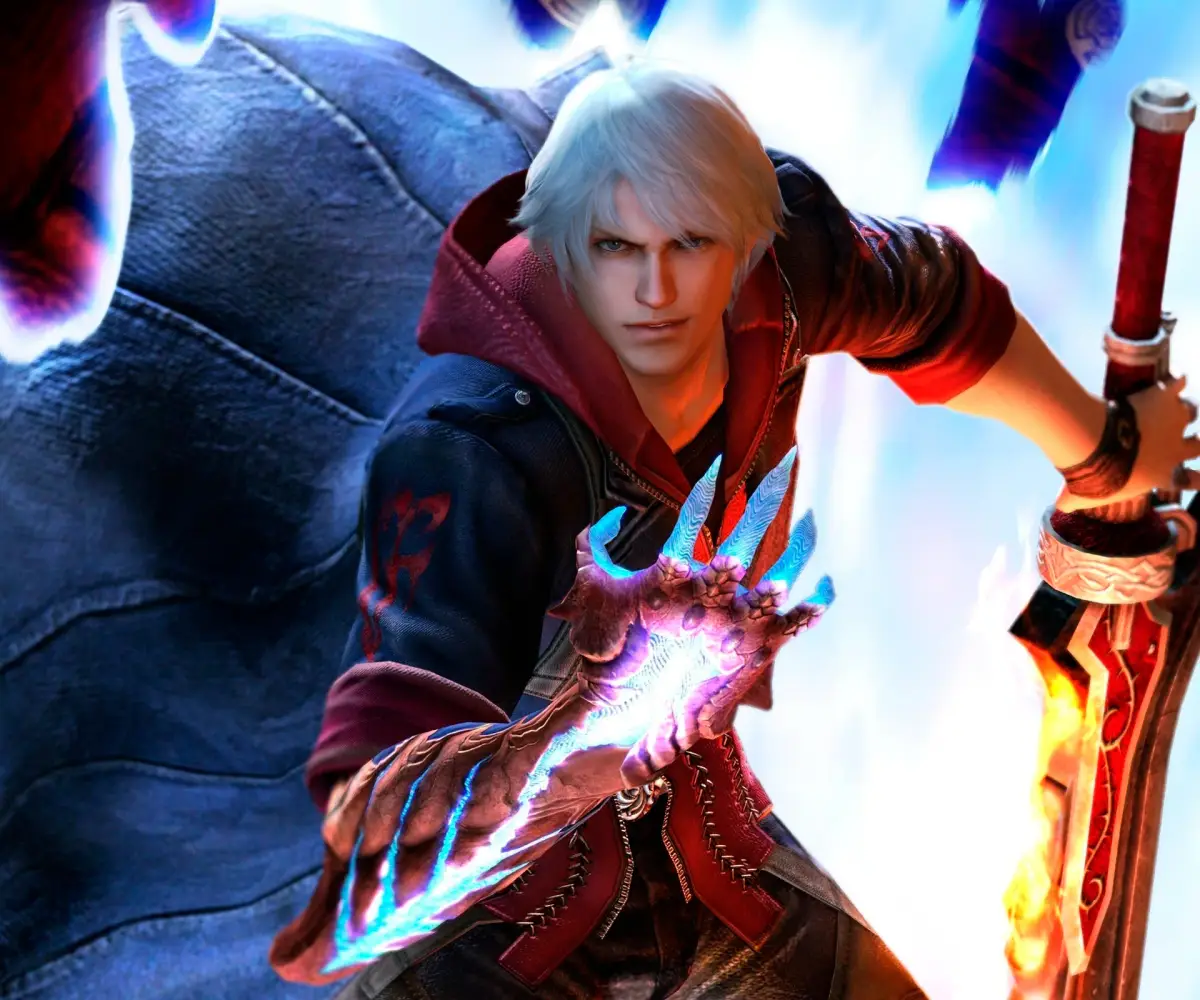
Welcome to Devil May Cry 4, a stylish third-person action RPG where you'll master the agile combat of Nero and the flashy flair of Dante. You'll be battling hordes of demons, taking on challenging bosses, and navigating through 20 distinct missions. It's a game that rewards skillful play and offers a rich story with an atmospheric presentation and a killer soundtrack.
This guide is here to help you conquer every challenge the game throws at you. We'll cover strategies for tough boss battles, tips for efficient UI navigation, and the vital locations for collecting Blue Orb Fragments to maximize your power. Whether you're aiming to unleash maximum style or just want to overcome specific obstacles, this guide has you covered.
[IN00]
Devil May Cry 4 IN00 walkthrough: Learn how to complete the tutorial mission and master the basic controls.
- 1Follow the on-screen prompts to learn basic movement and camera controls.
- 2Engage in combat against the initial enemies, practicing basic attacks and dodges.
- 3Learn how to use Nero's Devil Bringer (grab) ability.
- 4Defeat the first boss, Berial, by following the on-screen prompts and utilizing learned combat techniques.
- Pay close attention to the tutorial prompts; they explain essential mechanics.
- Practice dodging enemy attacks to avoid taking damage.
- The Devil Bringer can be used to grab enemies and throw them, or to pull yourself towards certain points.
- Berial has specific attack patterns that can be learned to make the fight easier.
I N T R O D U C T I O N
Embark on your Devil May Cry 4 journey with this comprehensive guide. Learn mission walkthroughs, boss strategies, and unlockable secrets to become the ultimate Devil Hunter.
Hey there, fellow Devil Hunter! Welcome to the world of Devil May Cry 4. This guide is going to be your best friend as you dive into the action, and trust me, it's packed with everything you need to know.
I've poured a ton of effort into this walkthrough, aiming to cover every mission and boss fight with the kind of detail that'll make you feel like you're right there with Nero or Dante. It's pretty extensive, so your printer might shed a tear or two if you decide to print it out – but hey, at least the trees will understand!
This guide is for both the standard and Special Edition versions of the game. If you're on Xbox 360, I've got a separate guide with specific controls linked on my blog, but feel free to email me with any Xbox 360 questions since I own both versions.
A quick heads-up on the PC version: It includes a mode called 'Legendary Dark Knight Mode.' This mode throws way more enemies at you – imagine facing 12 Frosts instead of just 3! While it ramps up the enemy count significantly, it's generally on par with 'Son of Sparda' difficulty, and enemies won't use their Devil Trigger. Beating this mode also unlocks some cool bonus art.
You'll also find links to other great resources:
- For the latest updates to this guide, check out my blog post.
- If you want another perspective on strategies, VampireHorde's guide is a great read.
- And for finding all those Blue Orb Fragments and Secret Missions, Sephirosuy's guide is the place to go, complete with video links.
So, get ready to unleash some stylish combos and take down those demons. Let's do this!
G E T T I N G S T A R T E D
Learn the basics and controls for Devil May Cry 4, including character move lists and advanced techniques.
This guide provides essential information for new players starting Devil May Cry 4. It details the basic controls necessary for gameplay and includes a complete move list for every character. Additionally, advanced techniques are explained to help you master the combat system.
- Familiarize yourself with the basic controls before attempting advanced techniques.
- Practice each character's move list to understand their unique combat styles.
- Experiment with advanced techniques to discover powerful combos.
[BS01]
Master Devil May Cry 4's controls for PS3, Xbox 360, and PC. Learn every button prompt for Nero and Dante to unleash stylish combos and devastating attacks.
Alright, let's get you set up with the controls for Devil May Cry 4 Special Edition. Knowing these inside and out is key to pulling off those awesome stylish combos. We'll break down the PlayStation 3, Xbox 360, and PC layouts for both Nero and Dante.
First off, a quick note: L3 and LS mean pushing in the Left Analog Stick, while R3 and RS mean pushing in the Right Analog Stick. The D-pad is just your Directional Pad. Got it? Good.
Nero Controls
When you're playing as Nero, here's what you need to know:
Playstation 3
| Button | Action |
| [] | Gun Attack |
| /\ | Melee Attack |
| O | Devil Bringer |
| X | Jump |
| R1 | Lock-on |
| L1 | Devil Trigger (acquired in Mission 6) |
| L2 | Exceed |
| L3 | Change target |
| R3 | Center Camera |
| Start | Pause Menu |
| Select | Taunt |
| Left Analog | Move character |
| Right Analog | Rotate camera |
Xbox 360
| Button | Action |
| X | Gun Attack |
| Y | Melee Attack |
| B | Devil Bringer |
| A | Jump |
| RB | Lock-on |
| LB | Devil Trigger (acquired in Mission 6) |
| LT | Exceed |
| LS | Change target |
| RS | Center Camera |
| Start | Pause menu |
| Back | Taunt |
| Left Analog | Move character |
| Right Analog | Rotate camera |
Dante Controls
Dante's got a bit more going on, especially with his styles and weapon switching:
Playstation 3
| Button | Action |
| [] | Gun Attack |
| /\ | Melee Attack |
| O | Style Action |
| X | Jump |
| R1 | Lock-on |
| L1 | Devil Trigger |
| R2 | Switch Devil Arm |
| L2 | Switch gun |
| L3 | Change target |
| R3 | Center Camera |
| Start | Pause Menu |
| Select | Taunt |
| Left Analog | Move character |
| Right Analog | Rotate camera |
| D-pad up | Trickster |
| D-pad down | Royal Guard |
| D-pad right | Swordmaster |
| D-pad left | Gunslinger |
Note: Once you get the Dark Slayer style, you can tap any direction on the D-pad twice to switch to that style.
Xbox 360
| Button | Action |
| X | Gun Attack |
| Y | Melee Attack |
| B | Style Action |
| A | Jump |
| RB | Lock-on |
| LB | Devil Trigger |
| RT | Switch Devil Arm |
| LT | Switch gun |
| LS | Change target |
| RS | Center Camera |
| Start | Pause menu |
| Back | Taunt |
| Left Analog | Move character |
| Right Analog | Rotate camera |
| D-pad up | Trickster |
| D-pad down | Royal Guard |
| D-pad right | Swordmaster |
| D-pad left | Gunslinger |
PC Controls
For our PC players, here are the default keybinds that work for both Nero and Dante:
| Key | Action |
| W | Move forward |
| S | Move backward |
| A | Move left |
| D | Move right |
| I | Melee Attack |
| J | Gun Attack |
| K | Jump |
| Space | Lock-on |
| N | Devil Trigger |
| M | Taunt |
| O | Change target (while locked-on) |
| Q | Change long-range weapon (Dante)/Exceed (Nero) |
| E | Change melee weapon (Dante)/Exceed (Nero) |
| L | Buster (Nero)/Style Action (Dante) |
| P | Reset camera |
| Arrow Keys | Rotate camera |
Quick Tip: When an enemy is locked on, you'll see their health bar around the bluish circle that appears on them. Keep an eye on that!
Similar guides you might like



100% Human-Written. AI Fact-Checked. Community Verified. Learn how AntMag verifies content